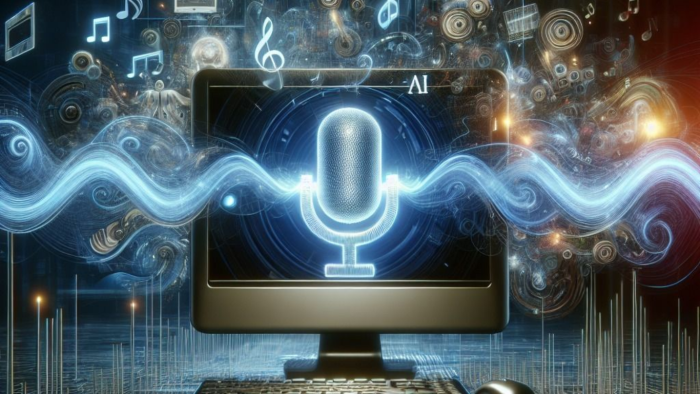
AI voice tools are rapidly evolving, offering lifelike voices, noise reduction, and streamlined workflows for creators. This quick guide highlights 10 popular options and how they fit different production needs.
1. Murf AI
- What it does: A text-to-speech platform that creates natural-sounding AI voices for presentations, YouTube videos, eLearning, and podcasts.
- Features: 120+ voices, 20+ languages, and tunable parameters such as pitch, speaking rate, and emotion.
- Best For: Content creators, educators, businesses needing narration.
For more options, see our guide on AI Text To Voice Tools.
2. Play.ht
- What it does: Converts text into realistic AI voices and also offers voice cloning.
- Features: 800+ natural voices, multiple accents, voice-over download in MP3/WAV, podcast creation.
- Best For: Audiobooks, podcasts, website audio versions.
If you’re building podcasts or multi-episode series, check out our article on AI Tools for Podcasting.
3. Descript (Overdub)
- What it does: All-in-one audio/video editing tool with AI overdub (voice cloning).
- Features: Podcast editing, filler word removal, screen recording, transcription.
- Best For: Podcasters and video editors who want an easy editing workflow.
New to voice cloning? See our guide on AI Voiceover for Video for use cases in video production.
4. Krisp AI
- What it does: Noise-canceling app powered by AI. Removes background noise in real-time.
- Features: Echo removal, meeting transcription, AI meeting assistant.
- Best For: Professionals attending Zoom/Google Meet calls.
5. Voicemod
- What it does: Real-time AI voice changer & soundboard.
- Features: Voice filters (robot, cartoon, deep voice), live streaming integration, sound effects.
- Best For: Gamers, streamers, content creators.
6. Resemble AI
- What it does: Custom voice cloning and synthetic speech generation.
- Features: Emotional tones, multilingual voices, real-time speech-to-speech.
- Best For: Films, video games, customer service bots.
7. Cleanvoice AI
- What it does: Removes filler words mouth sounds, and stuttering from audio.
- Features: Multilingual support, silence trimming, AI-powered cleanup.
- Best For: Podcasters, YouTubers.
8. Altered Studio
- What it does: AI voice changer for professionals.
- Features: Voice acting replacement, dubbing, character voice design.
- Best For: Video producers, filmmakers, gaming companies.
9. Sonantic (by Spotify)
- What it does: Creates hyper-realistic emotional voices.
- Features: Human-like emotions (anger, happiness, sadness), customizable tones.
- Best For: Movies, ads, game studios needing realistic voices.
10. Riffusion
- What it does: Generates music & sound from text prompts using AI.
- Features: Create beats, melodies, instrumental tracks from words.
- Best For: Music creators, DJs, sound designers.
Explore more music-focused AI tools in our article AI Tools for Video Creators.
FAQs (AI Audio Tools)
Q1. What are AI audio tools?
AI audio tools are software powered by artificial intelligence that help in creating, editing, enhancing, or generating audio. These include text-to-speech converters, AI music generators, voice changers, and noise removal tools.
Q2. Which is the best AI text-to-speech tool?
Some of the best AI text-to-speech tools are Murf AI, Play.ht, and Resemble AI, as they provide natural-sounding voices with customization options.
Q3. Can AI create music?
Yes, tools like Boomy, Soundraw, Riffusion, and Aiva can compose original tracks in different genres, making them useful for YouTubers, filmmakers, and musicians.
External resources: ElevenLabs AI Voices for realistic narration, Wondercraft AI Tools for podcasting and narration, BUHAVE AI Courses.