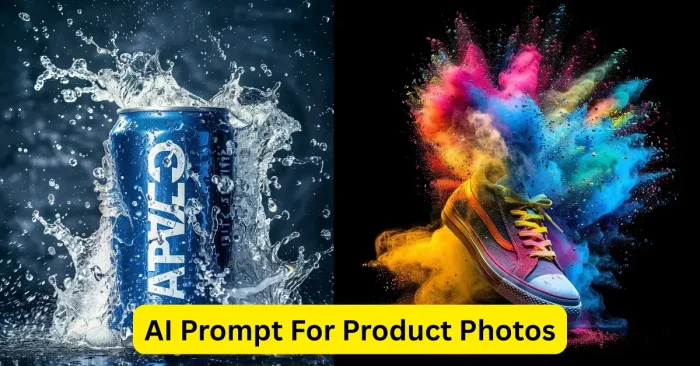
Introduction to AI Prompt for Product Photos Tools
AI Prompt for Product Photos tools are advanced platforms that turn descriptive prompts into realistic, high-quality product visuals. Used by eCommerce teams, marketers, product designers, and creators, these tools let you generate multiple photo variations without a traditional shoot. By detailing product type, material, color, lighting, background, and angles, you can quickly produce on-brand images at scale, helping accelerate product launches and maintain visual consistency across stores and campaigns.
How AI Prompt for Product Photos Works
AI product photo generators use deep learning models trained on large datasets of product images. Users input text descriptions that include product attributes, scene settings, lighting, and camera angles. The AI interprets the prompts to create realistic or stylized product images. Platforms often allow customization of backgrounds, shadows, reflections, and composition. Users can refine outputs, generate multiple versions, and export high-resolution images suitable for online stores, catalogs, advertisements, and social media campaigns.
Many platforms now offer batch generation and API access to integrate into product catalogs and content workflows.
Key Features of AI Prompt for Product Photos Tools
Text-to-Product Photo Generation
Generate high-quality product images directly from descriptive prompts, with realism and control over lighting, angles, and style. This capability makes it accessible for non-designers to produce market-ready visuals quickly and consistently.
Multiple Image Variations
Generate 5–10 variations per prompt to compare different angles, lighting setups, and backgrounds, helping you select the most compelling representation for your product.
Customizable Backgrounds and Settings
Adjust backgrounds, lighting, reflections, and environment to match brand aesthetics or marketing needs.
High-Resolution Export
Export product images in high-quality formats for eCommerce platforms, advertisements, catalogs, and social media.
User-Friendly Interface
Platforms are designed for beginners and professionals, making it easy to generate product visuals without complex software.
Top AI Tools for Product Photo Generation
Some of the best AI tools for generating product photos include:
- Pixian AI – Generates high-quality product images with customizable backgrounds and lighting.
- Fotor AI Image Generator – Allows creation of realistic product visuals from text prompts.
- Canva AI – Provides user-friendly tools to generate and edit product images for marketing.
- DeepAI Image Generator – AI-powered platform capable of producing professional product visuals.
- Runway ML – Offers AI-based product image generation with customizable effects and resolutions.
- Designify – Automated AI tool to generate eCommerce-ready product photos with minimal effort.
Learn more about AI product image tools in our dedicated guide: AI Product Image Tools.
Examples of Effective Prompts for Product Photos
Here are some sample text prompts for generating AI product images:
- “A modern stainless steel coffee maker on a white background, realistic lighting and shadow.”
- “A leather backpack with brown stitching, studio lighting, angled slightly to the right.”
- “A sleek wireless mouse on a minimalistic wooden desk with natural sunlight.”
- “A colorful sports sneaker on a reflective surface with soft shadows.”
- “A luxury wristwatch with silver strap and black dial, high-resolution studio shot.”
- “A glass water bottle with eco-friendly label, isolated on white background.”
- “A high-quality leather wallet with multiple compartments, soft natural light, angled view.”
These prompts reflect best practices outlined in Text Prompts For AI Image Tools.
Benefits of Using AI Prompt for Product Photos Tools
AI product photo tools cut costs and time compared with traditional shoots while delivering consistent, high-quality visuals. They enable rapid experimentation with angles, lighting, backgrounds, and textures, supporting quick A/B testing across channels. Multiple output variations provide flexibility, and high-resolution exports fit eCommerce catalogs, ads, and social media campaigns. These tools empower teams to maintain professional visuals without requiring advanced photography skills or costly gear. For beginners, see Best AI For Product Photography to help choose the right tool.
Workflow Tips for Using AI Prompt for Product Photos Tools
Provide Detailed Prompts
Include product type, material, color, background, lighting, and angles for accurate and realistic outputs. For a deeper look at crafting prompts, see Text Prompts For AI Image Tools.
Experiment with Variations
Generate multiple images to explore different perspectives, lighting, and visual styles.
Refine and Adjust Outputs
Use platform tools or photo editing software to enhance realism, shadows, and reflections.
Maintain Brand Consistency
Ensure backgrounds, colors, and lighting match your brand aesthetics for cohesive visuals across products.
Export in High Resolution
Save images in formats suitable for online stores, social media, advertisements, and print catalogs.
Frequently Asked Questions (FAQs)
What are AI Prompt tools for product photos?
They are AI-powered platforms that generate realistic product images from descriptive text prompts.
Do I need photography skills to use these tools?
No, AI product photo generators allow anyone to create high-quality product visuals without advanced photography knowledge.
Can AI-generated product images be used commercially?
Yes, most platforms allow commercial use, but users should review licensing terms before applying images in business projects.
How can I improve AI-generated product photo quality?
Provide detailed prompts, refine outputs, experiment with variations, and export in high-resolution formats for professional results.
Which AI tools are best for product photo generation?
Popular tools include Pixian AI, Fotor AI Image Generator, Canva AI, DeepAI Image Generator, Runway ML, and Designify.