AI Tools for Coding Help
AI tools for coding help have become essential for developers, programmers, and students. These tools assist in writing clean code, debugging, generating snippets, and learning new programming languages. They save time, boost productivity, and reduce human errors. Today, AI-powered assistants deliver real-time support across editors and platforms, helping both beginners and seasoned developers write better code faster. For a broader view, explore our AI code tools guide.
1. GitHub Copilot
GitHub Copilot is an AI coding assistant that suggests real-time code completions inside your IDE. It helps in writing functions, automating repetitive coding tasks, and learning new languages by providing examples. Ideal for developers who want faster workflows. Ai Tools For Developers.
2. Tabnine
Tabnine uses AI to predict and suggest entire code lines and functions. It works with multiple programming languages and integrates with popular editors. It enhances productivity by reducing manual typing and preventing syntax errors.
3. Replit Ghostwriter
Replit Ghostwriter offers intelligent code generation, debugging, and explanations directly in the Replit environment. It’s particularly useful for beginners as it explains how code works, making it a learning and development tool. For classroom or team training contexts, you might also explore Ai Tools For Coding.
4. CodeT5
CodeT5 is an open-source AI model designed for code completion, summarization, and translation between programming languages. It helps programmers understand code logic and convert snippets between frameworks efficiently.
5. Amazon CodeWhisperer
Amazon CodeWhisperer provides AI-powered coding suggestions for AWS and general programming. It’s designed to enhance cloud-related development while supporting multiple languages and frameworks. For broader automation workflows, see AI tools for GitHub automation.
6. Kite
Kite is an AI assistant that integrates with code editors to suggest completions and documentation. It reduces time spent searching for references online by providing inline explanations and examples.
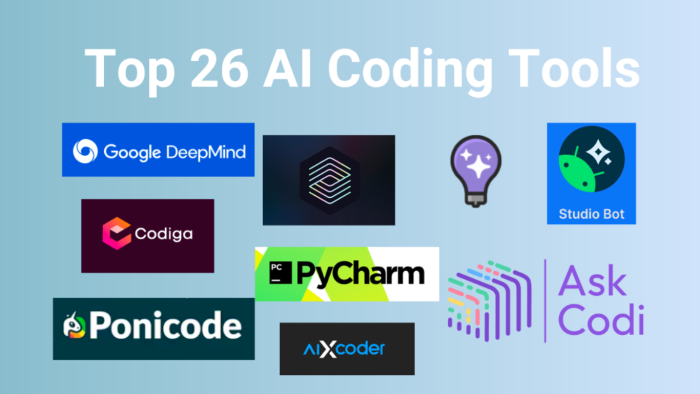
7. Codiga
Codiga helps developers with intelligent code reviews, snippets, and static analysis. It ensures better code quality and security by identifying vulnerabilities and offering quick fixes. You can also learn about AI code review tools for deeper insights into automated quality checks.
8. Ponicode
Ponicode automates unit test generation using AI. It ensures better testing coverage by creating test cases, helping developers write robust and reliable software faster. If you want to understand how unit test generation integrates with broader testing strategies, see Ai Tools For Programming.
9. AskCodi
AskCodi provides coding suggestions, generates boilerplate code, and assists in learning new programming concepts. It supports multiple programming languages and helps speed up development tasks.
10. Sourcery
Sourcery automatically refactors Python code to make it cleaner and more efficient. It improves readability and maintainability by detecting anti-patterns and suggesting optimized solutions.
(FAQs)
Q1: Are AI coding tools suitable for beginners?
Yes, AI coding tools are very beginner-friendly. They explain code, suggest snippets, and help avoid common errors, making them ideal for learning programming.
Q2: Do AI tools replace human developers?
No, AI tools assist developers but do not replace them. They save time and reduce errors but still rely on human judgment for logic and creativity.
Q3: Are these AI coding tools free?
Many AI coding tools like Tabnine, Kite, and Replit Ghostwriter offer free versions, while advanced features may require a paid plan.
Learn More About AI Course AI Course