Understanding AI Tools for Coding
Code sits at the heart of modern technology, powering nearly every website, app, and AI system we rely on. Yet writing and maintaining code can be tedious and error-prone. AI tools for coding act as intelligent assistants, helping developers generate clean code, automate repetitive tasks, and boost productivity. Ai Tools For Programming.
Here, we explore how AI tools are reshaping the coding landscape, outline the main categories, and share practical guidance on investing in AI tooling as a coder, practitioner, or informatics professional. For a broader perspective, see Ai Tools For Developers.
AI Tools for Coding
AI tools for coding are sophisticated platforms designed to use machine learning and natural language processing to help developers write, review, and optimize code. They can generate code blocks, auto-complete lines, fix errors in real time, and suggest enhancements to improve efficiency and readability. For a practical toolkit, explore AI code tools.
Why Programmers Choose to Use AI Coding Tools
For programmers, coding is not about simply writing instructions to a computer; coding is about problem solving! AI tools are built to help programmers reduce repetitive work, minimize human error, and allow developers to stay focused on the bigger picture of problem solving.
Whether a developer is a beginner learning a new language or a professional maintaining complex systems, AI tools help to stay productive and help reduce development time.
How AI Tools Contribute to the Process of Programming
AI tools support every aspect of the programming process; from writing code, and debugging code, to testing code and optimizing code. Feedback can be received from AI tools in real-time, not to mention the additional security feature of vulnerability detection and immediate repairs. With such an integrated approach to coding, programmers can be more efficient, avoid burnout, and adhere to better coding standards.
Categories of AI Tools for Coding
AI tools can be grouped into several categories: code generation, debugging, error detection, testing, code review, optimization, collaboration, and learning support. Each serves a unique purpose and fits into different stages of the development lifecycle. In addition to coding-specific tools, teams often explore AI Tools for App Development to accelerate mobile and web projects.
Best Uses of AI Tools for Coding
AI for Code Generation
Code generation tools help programmers by automatically writing repetitive functions, boilerplate code, and even advanced logic. For example, they can generate SQL queries, JavaScript functions, or Python scripts with minimal input from the user.
AI for Debugging
Debugging is one of the toughest parts of coding. AI debugging tools scan through code to detect bugs and suggest possible fixes. They can even highlight patterns of errors that developers might miss, making the debugging process faster and more reliable.
AI for Error Detection
AI-powered error detection tools work in real-time as developers write code. They highlight syntax issues, logical errors, and potential performance problems. This helps maintain a cleaner codebase from the beginning instead of waiting for testing stages to uncover mistakes.
AI for Testing
Software testing ensures that applications run smoothly. AI testing tools can automate unit tests, regression tests, and integration tests. They predict potential failures and analyze past errors to prevent the same mistakes in future development cycles.
AI for Code Review
Code review is an important step in collaborative projects. AI tools analyze pull requests, identify inefficiencies, and provide suggestions for improvement. This reduces manual effort and ensures higher code quality across teams. For enhanced code review, explore AI code review tools.
AI for Code Optimization
Optimization tools analyze written code and recommend ways to improve efficiency, reduce memory usage, and boost execution speed. These tools help developers write code that performs better in real-world environments.
AI for Collaboration
When working in teams, collaboration is key. AI tools assist by recommending task assignments, tracking code changes, and maintaining version control across platforms like GitHub or Bitbucket. They also ensure better communication between team members.
AI for Learning Support
AI coding assistants are not just for professionals—they are also great for beginners. They explain functions, suggest syntax corrections, and provide examples, making it easier for students and self-learners to understand programming concepts.
FAQs on AI Tools for Coding
1. Are AI coding tools replacing programmers?
No, AI coding tools are designed to support programmers, not replace them. They automate repetitive tasks and reduce human error, but creativity, problem-solving, and logical reasoning still require human expertise.
2. Which AI tools are popular for coding?
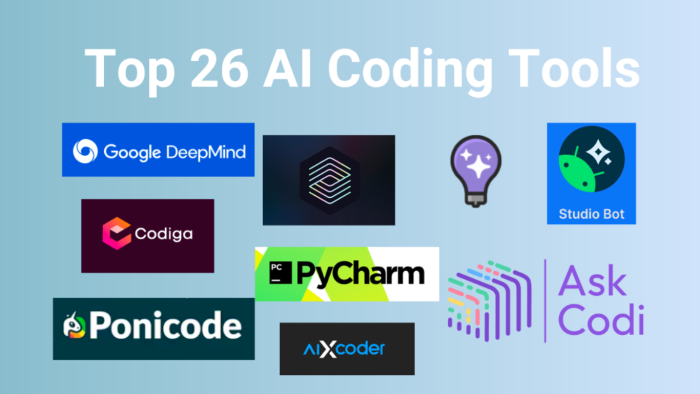
Some of the most popular AI tools include GitHub Copilot for code generation, Tabnine for code completion, DeepCode for bug detection, and Kite for real-time suggestions. Each tool serves different coding needs.
3. Do AI tools support all programming languages?
Most AI coding tools support a wide range of languages such as Python, Java, JavaScript, C++, and PHP. However, the extent of support may vary depending on the tool and its updates.
4. Are AI tools suitable for beginners in coding?
Yes. AI coding tools are very useful for beginners. They help new coders learn by correcting mistakes, suggesting better approaches, and providing instant feedback, which speeds up the learning process.
In conclusion, AI tools for coding are revolutionizing the programming world. They save time, reduce errors, and help developers focus on solving real-world problems. From generating code and debugging to testing and optimization, these tools have become an essential part of the modern developer’s toolkit. While they won’t replace human creativity and problem-solving, they are powerful companions that make coding faster, smarter, and more enjoyable.