AI Talking Head Tools Explained in Depth
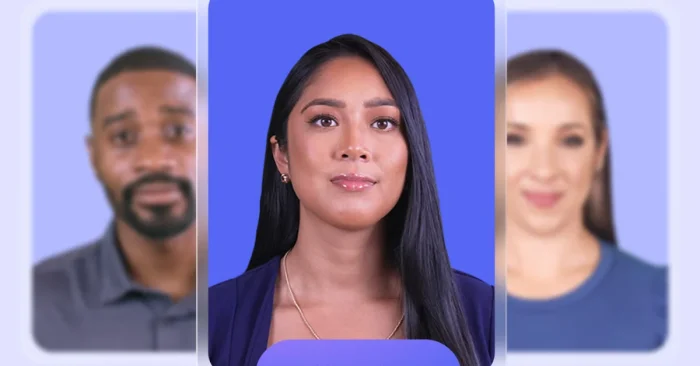
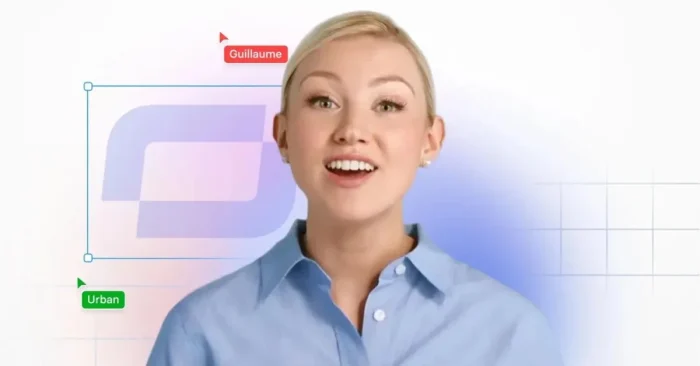
AI Talking Head tools create videos featuring digital avatars that speak naturally with synchronized speech, expressions, and gestures. They are ideal for presentations, tutorials, marketing, and online training, enabling creators to produce professional videos quickly and efficiently in a scalable way. As of 2026, these tools have matured to offer more realistic lip-sync, improved expressions, and easier branding integration. For a practical example, see our guide on the AI Avatar video Generator.
These tools help save time, reduce production costs, and enhance audience engagement while maintaining high-quality content. This guide explains how tools work, their key features, benefits, and top platforms available today. For an example of a full AI-driven presentation workflow, see the AI Presentation Video Generator.
What Are AI Talking Head Tools?
AI talking head tools generate videos featuring avatars or digital faces that speak scripts naturally, complete with lip-sync, gestures, and facial expressions. See examples in our AI Avatar video Generator guide.
How Do AI Talking Head Tools Work?
They convert text or audio into animated talking head videos, synchronizing speech, gestures, and facial movements automatically.
Why Are Talking Head Video Tools Important?
These tools allow creators to produce professional videos quickly, without hiring live actors, ensuring consistent quality and higher audience engagement.
Key Features of AI Talking Head Tools
- Realistic avatars with natural expressions and gestures.
- Lip-syncing aligned with text or audio narration.
- Text-to-speech support for multiple languages.
- Customizable avatars, backgrounds, and branding.
- Template-based video creation for tutorials, presentations, or marketing.
- Export in HD and 4K video formats.
- Integration with social media and presentation platforms.
- Subtitles and captions for accessibility and engagement.
Who Uses AI Talking Head Tools?
Educators, marketers, trainers, content creators, and social media managers use these tools to produce engaging talking head videos efficiently.
Benefits and Limitations
Advantages: Saves time, reduces production costs, ensures consistent quality, and increases viewer engagement.
Limitations: Some nuances of human expression may be missing, and advanced customization often requires a subscription.
Industries That Benefit the Most
E-learning, corporate training, marketing, online tutorials, and social media content creation benefit greatly from videos.
Best Practices for Using AI Talking Head Tools
- Use concise, clear scripts for accurate narration.
- Customize avatars and backgrounds to reflect branding.
- Preview videos to ensure natural expressions and gestures.
- Add subtitles and captions for accessibility and wider audience reach.
- Combine avatars with visuals, effects, and branding elements for better engagement.
Top 5 AI Talking Head Tools
Synthesia
Generates realistic AI avatars with natural gestures, lip-syncing, and multilingual voiceovers. For a broader overview of related tools, see the AI Tools for Video Creators guide.
Rephrase.ai
Creates personalized videos with AI avatars and synchronized speech based on scripts. See other avatar options in our Ai Face Animation Tool guide.
Hour One
Transforms text into lifelike avatar videos with professional expressions and presentation-ready looks. For template-driven presentations, check out the AI Presentation Video Generator.
Elai.io
Produces videos from text or audio with gesture animation and narration features. Explore other video tools in our AI Tools for Video Creators resource.
D-ID Creative Reality Studio
Generates expressive talking head avatars with automatic lip-syncing and multi-language support. Learn more in our AI Tools for Video Creators guide.
FAQs About AI Talking Head Tools
1. Can beginners use these tools?
Yes, they are intuitive and designed for users with minimal technical knowledge to produce talking head videos.
2. Do these tools improve viewer engagement?
Yes, realistic avatars and synchronized speech help capture audience attention and enhance message retention.
3. Are AI Talking Head tools expensive?
Some platforms offer free or limited versions, while full access with advanced features usually requires a subscription.
4. Can these tools replace live speakers?
They provide efficient video creation but live actors may still be preferred for emotionally nuanced or high-end content.