AI Presentation Video Generator Explained in Depth
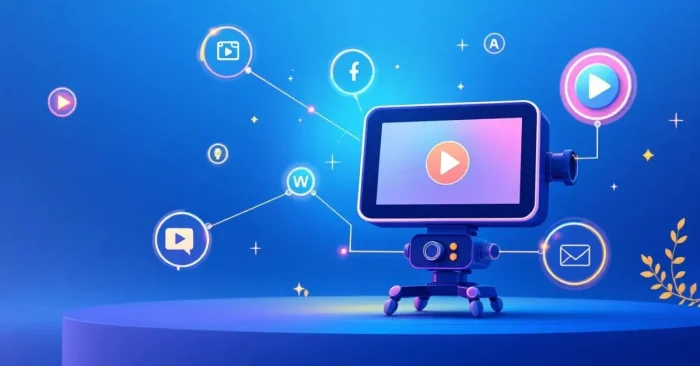
AI Presentation Video Generators help teams create professional presentation videos quickly using AI-powered templates, avatars, and voiceovers. These platforms allow users to convert slides, scripts, or text into engaging videos with automated narration, animations, and transitions. As adoption grows across education, marketing, and corporate training, many tools now integrate with popular formats like PowerPoint, Google Slides, and LMS platforms.
AI presentation video generators save time, enhance visual storytelling, and improve audience engagement. This guide explores how these tools work, their key features, benefits, and top platforms available today. For a quick overview of avatar-based options, see the AI Avatar video Generator and our page on AI tools for animated presentations.
What Is an AI Presentation Video Generator?
An AI presentation video generator automatically transforms slides, scripts, or text into professional video presentations with animations and voiceovers. AI Explainer video Generator provides another approach focused on concise explainers for complex ideas.
How Do AI Presentation Video Generators Work?
They analyze slides or scripts, generate video sequences, add animations, synchronize narration, and create polished presentation videos. For a broader look at how these tools support animated storytelling, see our AI tools for animated presentations guide.
Why Are AI Presentation Video Tools Important?
These tools save time, enhance visual storytelling, ensure consistency, and make presentations more engaging for audiences.
Key Features of AI Presentation Video Generators
- Automated conversion of slides or scripts into video format.
- Text-to-speech or AI-generated voiceover synchronization.
- Slide animations, transitions, and visual effects.
- Customizable templates for corporate or educational presentations.
- Avatar or presenter integration for interactive videos.
- Export in HD and 4K video formats.
- Integration with online platforms and video editing tools.
- Subtitles, captions, and branding options.
Who Uses AI Presentation Video Generators?
Educators, corporate trainers, marketers, content creators, and business professionals use these tools to create engaging presentations efficiently. For avatar-driven approaches, explore the AI Avatar video Generator.
Benefits and Limitations
Advantages: Saves time, improves audience engagement, produces consistent videos, and simplifies complex presentation creation.
Limitations: May require subscription for advanced features, and customization is sometimes limited by templates.
Industries That Benefit the Most
Education, corporate training, marketing, webinars, and business communication benefit greatly from AI presentation videos.
When selecting a tool, consider your audience, budget, and the level of customization you need. If avatar-based narration or explainer-focused formats are important, explore the AI Avatar video Generator or the AI Explainer video Generator to tailor your visuals.
Best Practices for Using AI Presentation Video Generators
- Prepare concise and clear scripts or slide content.
- Customize templates to reflect branding and messaging.
- Preview animations and voiceovers for accuracy. For more design ideas, check our AI Tools For Presentations guide.
- Add subtitles for accessibility and wider reach.
- Combine visuals, avatars, and effects for engaging presentations.
Top 5 AI Presentation Video Generators
Selected options include Veed.io and InVideo for fast production, Animoto for branded templates, Renderforest for avatars and visuals, and Powtoon for animated explainers. For avatar-based options, see AI Avatar video Generator.
Veed.io
Offers AI-powered templates, automated narration, and slide animation for professional presentation videos.
InVideo
Transforms scripts or slides into polished videos with voiceovers, animations, and customizable templates.
Animoto
Generates presentation videos using AI templates, visual effects, and automated narration for corporate or educational content.
Renderforest
Creates AI-assisted presentation videos with avatars, transitions, and professional-quality visuals.
Powtoon
Enables the creation of animated presentation videos using AI templates, voiceovers, and customizable effects.
FAQs About AI Presentation Video Generators
1. Can beginners use these tools?
Yes, they are user-friendly and require minimal technical skills to produce professional presentation videos.
2. Do these tools improve audience engagement?
Yes, animated slides, voiceovers, and interactive elements enhance viewer attention and understanding.
3. Are AI presentation video generators expensive?
Many platforms offer free or limited versions, while full access usually requires a subscription plan.
4. Can these tools replace live presentations?
They efficiently produce professional videos, but live presentations may still be preferred for real-time interaction.