AI Tools for Photo Enhancement
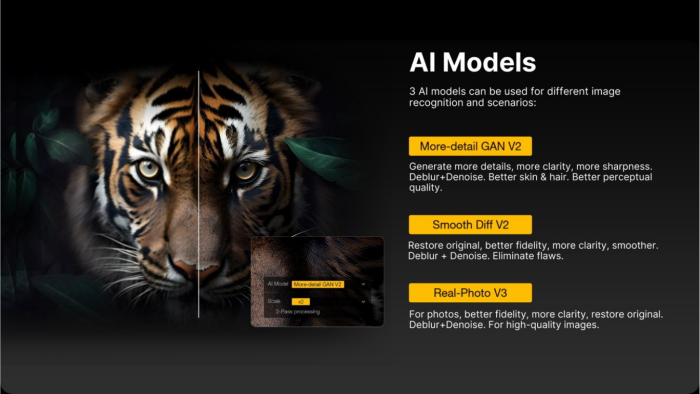
AI photo enhancer tools use machine learning to improve picture quality, sharpen details, and restore clarity in blurred or old images. They help users make photos look professional without advanced editing skills. These tools are perfect for students, content creators, photographers, and businesses who want polished visuals without paying for expensive editing software. For a broader overview of AI image tools, check our guide on AI Tools for Photo Editing, and for upscaling-focused options, explore AI HD Images Tools. Below are ten free AI photo enhancers.
1. Remini
Remini is a popular AI tool that restores old, blurred, or low-quality photos into high-resolution images. It sharpens facial features, improves details, and enhances overall clarity. The mobile app is widely used for personal photos, making memories look brand new. For a comparison of Remini with other AI image enhancers, see Which AI Tool Is Best For Pictures.
2. Fotor
Fotor’s AI enhancer improves brightness, contrast, and sharpness in photos with one click. It also reduces blur and enhances details, making it useful for casual users and professionals alike. Free access includes several core editing features. If you’re exploring broader browser-based editing options, see AI Tools for Photo Editing.
3. VanceAI Image Enhancer
VanceAI uses deep learning to upscale and enhance photos up to 4x without losing quality. It reduces noise, enhances textures, and makes images print-ready. The free plan offers limited but powerful credits for testing. For a deeper look at AI upscaling tools, explore AI Ultra Resolution Photo Tools.
4. Let’s Enhance
Let’s Enhance provides AI-based upscaling and photo correction. It fixes colors, restores details, and makes images sharper while maintaining natural tones. Free credits are available for new users to enhance a limited number of photos. Learn how such tools fit into broader editing workflows in How To Edit Pictures With AI Tools.
5. Pixlr
Pixlr is an online photo editor with AI-powered enhancement tools. It sharpens, balances, and improves images instantly. As a browser-based tool, it’s accessible anywhere without heavy downloads or subscriptions. For a broader browser-based editing guide, explore How To Edit Pictures With AI Tools.
6. Enhance.Pho.to
Enhance.Pho.to is a free online tool that automatically adjusts brightness, contrast, and sharpness. It also fixes color balance and removes digital noise. This makes it an easy choice for quick, no-login photo enhancement. If you’re researching additional AI enhancement options, see AI HD Images Tools for upscaling-focused solutions.
7. DeepAI Image Enhancer
DeepAI offers a free AI image enhancer that improves resolution and sharpness. It is API-friendly, making it ideal for developers and businesses who want to integrate enhancement features into their own apps. For a broader look at AI tools that integrate into workflows, check AI Tools for Photo Editing.
8. Icons8 Upscaler
Icons8 Upscaler enhances and enlarges photos without losing quality. It removes noise and artifacts while making images cleaner and sharper. A free plan with limited uses is available for new users. For portrait-focused editing ideas, see AI Beauty AI Photo Editor.
9. Photopea
Photopea is a free Photoshop alternative with built-in AI enhancement tools. It sharpens details, improves lighting, and refines images directly in the browser. No installation is required, making it highly convenient. If you want to explore AI-based editing workflows, see AI Tools for Photo Editing.
10. Cutout.pro
Cutout.pro provides AI-based enhancement tools for portrait and general photos. It increases clarity, balances exposure, and restores old pictures. The free plan offers basic features suitable for quick image improvements. For portrait-focused editing insights, check AI Beauty AI Photo Editor.
FAQs
1. Are AI photo enhancers free to use?
Yes. Most AI photo enhancers offer free versions with limited features or credits. Some also provide premium plans for advanced editing options. You can learn more in our guide AI Tools for Photo Editing.
2. Do these tools work on mobile phones?
Yes. Apps like Remini and Fotor work directly on smartphones, while tools like Pixlr and Let’s Enhance are available online in browsers.
3. Can AI photo enhancers fix old or blurry photos?
Absolutely. Many tools, such as Remini and VanceAI, are specifically designed to restore old or blurred images and make them look high quality again.
Learn More About AI Course https://buhave.com/courses/learn/ai