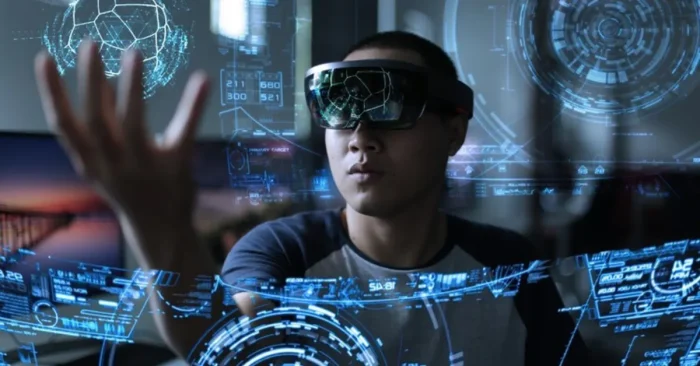
AI AR/VR Video Explained in Depth
As of 2026, AI AR/VR video tools are increasingly used by creators, developers, and marketers to automatically generate augmented reality (AR) and virtual reality (VR) video content. These tools can transform 2D footage into immersive 3D experiences, add interactive elements, and synchronize visuals with user inputs or audio. AR/VR videos continue to boost engagement and enable innovative marketing or educational experiences. For a broader overview of AI-enabled video workflows, see AI Tools for Video Creators.
This guide explains how AI AR/VR video tools work, their features, benefits, and top platforms available today.
What Is an AI AR/VR Video Tool?
An AI AR/VR video tool is software that automatically creates immersive augmented or virtual reality videos by converting footage, adding interactivity, and synchronizing visuals with audio or user input. This capability is illustrated by avatar-based storytelling in AI Avatar video Generator.
How Do AI AR/VR Video Tools Work?
These tools analyze existing footage or 3D models, apply AR/VR transformations, add interactive elements, and produce content optimized for VR headsets or AR-enabled devices.
Why Are AR/VR Videos Important?
AR/VR videos enhance user engagement, deliver immersive experiences, and are increasingly used in marketing, product demonstrations, and remote learning. They can improve brand recall and learning outcomes when integrated with clear storytelling and interactivity.
Key Features of AI AR/VR Video Tools
- Convert 2D video into 3D immersive content.
- Add interactive AR/VR elements and triggers.
- Synchronize audio with visual or interactive elements.
- Template-based creation for AR/VR experiences.
- Integration with VR headsets and AR-enabled devices.
- Multi-format export including VR-ready formats.
- AI-generated scene suggestions and effects.
- Analytics for engagement and user interaction.
Who Uses AI AR/VR Video Tools?
Game developers, marketers, educators, content creators, and training providers use these tools to create immersive experiences for audiences.
Benefits and Limitations
Advantages: Saves production time, creates immersive content, increases engagement, and enables interactive experiences.
Limitations: Requires compatible devices, may have limited creative flexibility, and some advanced features may require subscriptions.
Industries That Benefit the Most
Gaming, education, marketing, training, real estate, and entertainment industries benefit from AI AR/VR video tools.
Best Practices for Using AI AR/VR Video Tools
- Use high-quality footage or 3D models for best results.
- Incorporate branding and interactive elements consistently, similar to guidance in AI Tools for Video Creators.
- Test AR/VR experiences across different devices for compatibility.
- Keep interactive elements intuitive and user-friendly.
- Optimize video length for immersive experiences without fatigue.
Top 5 AI AR/VR Video Tools
For marketers exploring AR/VR storytelling, you might also explore AI Marketing Video Tools to tailor features for campaigns.
Unity + AI Plugins
Enables the creation of AR/VR videos with AI-driven animations and immersive interactive experiences.
Unreal Engine (MetaHuman + AI)
Produces realistic VR/AR videos with AI-generated characters and interactive scenes.
Zappar
AI-powered platform to create AR experiences and immersive videos for marketing and education.
8thWall
Creates AR videos with AI features for mobile devices and web-based interactive content.
Kaiber
Generates AI-assisted AR/VR videos with music synchronization, visual effects, and immersive transitions.
FAQs About AI AR/VR Video Tools
1. Can beginners use these tools?
Yes, some platforms are beginner-friendly with templates, while advanced features may require technical knowledge. For examples of avatar-based storytelling, see AI Avatar video Generator.
2. Do these tools improve user engagement?
Yes, immersive AR/VR videos increase interaction, retention, and overall audience engagement.
3. Are AI AR/VR video tools expensive?
Pricing varies; some offer free trials, while full functionality often requires subscriptions or licensing.
4. Can these tools replace professional VR/AR developers?
They automate many tasks for speed and efficiency, but complex or high-end AR/VR projects may still require professional expertise.