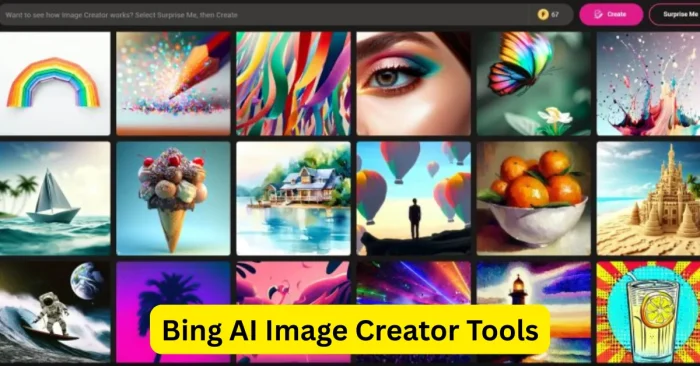
Introduction to Bing AI Image Creator Tools
Bing AI Image Creator is an advanced AI-powered tool integrated into Microsoft’s Bing search platform that generates high-quality images from textual prompts. Designed for individuals, businesses, and content creators, this tool leverages artificial intelligence to turn descriptive text into visually appealing graphics, illustrations, and concept art. It allows users to quickly create visuals for social media, marketing campaigns, e-commerce, and personal projects. Bing AI Image Creator combines Microsoft’s AI models with user-friendly functionality, offering an accessible and efficient solution for both beginners and professionals seeking creative image generation without manual design expertise. As of 2026, Bing AI Image Creator has continued to evolve, expanding style options and integration capabilities to streamline workflows for creators across industries. For guidance on crafting prompts, you can explore Text prompts for AI image tools.
How Bing AI Image Creator Works
Bing AI Image Creator uses powerful neural networks and diffusion models to interpret text prompts and generate images. Users provide descriptions including objects, style, colors, and scene context. The AI processes the input and produces high-quality images with multiple variations for each prompt. Users can refine prompts, choose preferred outputs, and enhance details to achieve the desired results. The tool’s integration within Bing and Microsoft Edge ensures easy access, fast rendering, and seamless sharing, enabling efficient creation of AI visuals for digital projects, marketing content, or concept illustrations. For more on crafting prompts, see Text To Image AI Tools.
Key Features of Bing AI Image Creator
Bing AI Image Creator offers several features to streamline and enhance AI image generation:
Text-to-Image Conversion
Users can generate images by entering descriptive prompts, transforming ideas into professional-quality visuals instantly. You can learn about crafting prompts in our guide on Text prompts for AI image tools.
Multiple Image Variations
The AI produces several variations for each prompt, allowing users to select or combine outputs for creative flexibility.
Style and Theme Customization
Users can apply various artistic styles such as realism, cartoon, digital art, or abstract to match project requirements.
High-Resolution Outputs
Bing AI Image Creator provides options to download images in high resolution, suitable for social media, web, and print purposes.
Integrated Platform Access
Built into Bing search and Microsoft Edge, the tool is easily accessible without additional software installation, enhancing convenience and workflow efficiency. This approach aligns with how AI image generation resources are presented in guides like How To Use AI To Generate Images.
Top Functionalities of Bing AI Image Creator
Bing AI Image Creator offers several key functionalities to enhance creativity and productivity:
- Prompt Refinement – Allows users to improve prompt accuracy and get more precise outputs.
- Multiple Variations – Generates alternative images for better selection and creative experimentation.
- Style Adjustment – Offers options to adjust visual style, color palettes, and thematic elements.
- Easy Export – Enables high-resolution image download for digital marketing, presentations, or personal projects.
- Integration with Microsoft Tools – Works seamlessly with Word, PowerPoint, and other Microsoft 365 applications for content creation.
Benefits of Using Bing AI Image Creator
Bing AI Image Creator provides multiple benefits for creators and businesses. It reduces time and effort needed to produce visuals, eliminating the need for manual design or stock photos. The AI enables experimentation with various styles, themes, and compositions, enhancing creative possibilities. Its accessibility within Bing and Microsoft Edge makes it easy for beginners and professionals to generate images without additional software. Businesses can use the tool for social media content, marketing campaigns, presentations, and e-commerce visuals. Overall, Bing AI Image Creator streamlines workflows, improves efficiency, and provides high-quality results at no extra cost. As licensing for AI-generated content evolves, review Microsoft’s licensing and usage guidelines before commercial use. For guidance on prompts, see Text Prompts For AI Image Tools.
Workflow Tips for Using Bing AI Image Creator
Use Clear Prompts
Provide detailed text descriptions, including style, color, subject, and composition, to ensure accurate AI outputs. For tips on crafting effective prompts, refer to Text prompts for AI image tools.
Experiment with Variations
Generate multiple image variations to explore creative options and select the best visual for your project. See Text To Image AI Tools for more ideas on generating diverse outputs.
Refine and Adjust
Use prompt adjustments and style options to refine generated images for desired quality and aesthetics. For comprehensive guidance on prompts, check Text prompts for AI image tools.
Combine with Microsoft Tools
Integrate AI-generated images with PowerPoint, Word, or Canva for polished presentations, documents, and marketing materials. Explore related AI-image resources such as AI Tools For Create Image for broader workflows.
Check Usage Guidelines
Review Microsoft’s terms and guidelines to ensure generated images comply with personal or commercial use requirements. For additional guidance on prompts, see Text Prompts For AI Image Tools.
Frequently Asked Questions (FAQs)
What is Bing AI Image Creator?
Bing AI Image Creator is an AI-powered tool by Microsoft that generates images from textual prompts using neural networks and AI models.
Is Bing AI Image Creator free?
Yes, the tool is available for free within Bing search and Microsoft Edge, although some advanced features may require Microsoft 365 access.
Do I need design skills to use Bing AI Image Creator?
No, it is user-friendly and allows beginners to create professional-quality images using descriptive text prompts.
Can AI-generated images be used commercially?
Many images can be used for commercial purposes, but users should review Microsoft’s licensing and usage guidelines for confirmation.
How can I get the best results with Bing AI Image Creator?
Write detailed prompts, experiment with multiple variations, refine outputs, and utilize style customization options for professional-quality visuals.