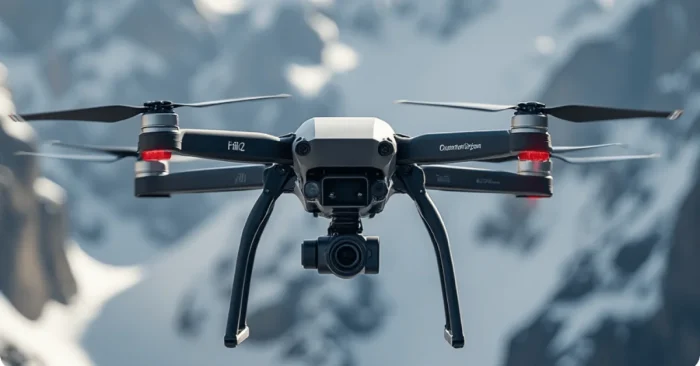
Understanding AI Timelapse Enhancer Tools
AI timelapse enhancement tools are changing how photographers, videographers, and content creators elevate ordinary timelapse footage into smooth, professional‑looking videos. Through advanced algorithms and smart frame interpolation, these tools enhance the quality, color, and motion in time-lapse sequences, making videos look more engaging and polished. By 2024–2025, these tools have matured to deliver near‑production results for hobbyists and professionals alike.
This guide covers AI-based timelapse enhancement tools, their features, benefits, practical applications, and tips for creating high-quality timelapse videos efficiently.
What Are AI Timelapse Enhancer Tools?
AI timelapse enhancer tools (hereafter referred to as AI tools) are accessible software‑as‑a-service applications that automatically improve the visual fidelity of timelapse footage. In a matter of minutes, they can analyze your video frames, perform noise reduction, apply stabilization, enhance color, and create a seamless video without manual editing required. For workflows that automate editing and cinematic grading, see AI Cinematic Tools.
Main Technologies behind the Tools
AI timelapse enhancer tools are mostly based on machine learning algorithms, computer vision algorithms, and frame interpolation algorithms. Using video analysis software, it predicts the intermediate frames to smooth out choppy motion, or harsh exposure (contrast) differences in the timelapse video, and generally make the video visually more appealing and improve clarity and detail. For example, AI Zoom Video Enhancer demonstrates how AI can upscale, denoise, and sharpen footage within timelapse workflows.
Significant Benefits of Using AI Timelapse Enhancers
Key benefits include speed and quality gains: you can quickly improve visual fidelity, maintain consistent color grading, reduce motion blur, and produce filmic sequences from regular footage. Modern AI timelapse tools also help ensure that your footage scales well across resolutions and platforms. See examples such as AI Cinematic Filter AI Tools or AI 4K Video Enhancer to understand how style and resolution enhancements integrate into timelapse work.
Practical Applications
Applications range from landscape and cityscape timelapses, event coverage, construction or industrial progress monitoring, travel vlogs, and scientific documentation. AI enhancement makes these videos more engaging and shareable across platforms. For travel vlogs, AI tools for travel vlogs can streamline capture, editing, and publication workflows.
Enhancing Color and Lighting
AI tools adjust color tones, brightness, and contrast automatically, ensuring that every frame looks vibrant and consistent. This is particularly useful when shooting in variable lighting conditions over long periods. For cinematic color grading, see AI Cinematic Filter AI Tools.
Motion Smoothing and Stabilization
Many time-lapse videos can appear jittery due to slight camera movements. AI enhancers stabilize footage and create smooth transitions between frames, giving the final video a professional cinematic effect. Tools like AI Zoom Video Enhancer illustrate how stabilization and intelligent frame interpolation can work together for sharp, smooth results.
Reducing Noise and Artifacts
Especially in low-light conditions, timelapse footage can suffer from noise or graininess. AI timelapse enhancers clean up these imperfections, preserving detail while minimizing visual distractions.
Integration with Video Editing Software
Most AI timelapse enhancers support integration with popular video editing platforms, enabling you to import enhanced sequences into your workflow for further editing, adding music, or applying effects. If you’re looking to upscale to 4K while maintaining detail, consider AI 4K Video Enhancer.
Best Practices for Using AI Timelapse Enhancer Tools
Pre-Shoot Planning
Proper camera setup and consistent intervals between shots are essential. Ensure stable mounting, correct exposure settings, and consistent frame rates for optimal enhancement results.
Processing Footage
Upload the time-lapse sequence to the AI tool and adjust enhancement parameters, such as frame smoothing, color correction, and stabilization levels, according to the desired output quality.
Post-Processing Adjustments
After AI enhancement, review the footage for any remaining inconsistencies. Fine-tune color grading, add motion effects, and synchronize with audio or background music for a polished final product.
Exporting and Sharing
Choose appropriate resolution and format settings to maintain video quality while making it suitable for social media, online platforms, or professional presentations.
Experimenting With Styles
Some AI enhancers offer artistic or cinematic style options. Experimenting with these can give your timelapse videos unique visual flair and make them stand out from conventional footage.
Regular Software Updates
Keep the AI enhancement software updated to benefit from the latest algorithms, improved processing speeds, and enhanced frame prediction accuracy.
Combining With Other Editing Tools
Use AI timelapse enhancers in combination with other editing tools to create advanced effects, such as adding motion graphics, annotations, or text overlays for storytelling purposes.
Monitoring Performance
Regularly check processed videos for quality, ensuring that no artifacts, distortions, or unnatural transitions occur. Continuous feedback helps in optimizing settings for future projects.
FAQs on AI Timelapse Enhancer Tools
Can AI enhancers work with all types of timelapse footage?
Most tools support standard formats like MP4, MOV, and AVI. However, optimal results are achieved with high-quality, consistent footage captured at regular intervals.
Do these tools require powerful hardware?
AI enhancement can be resource-intensive. A computer with a dedicated GPU and sufficient RAM improves processing speed and efficiency.
Is manual editing still necessary?
While AI tools automate most enhancements, manual adjustments may still be needed for creative color grading, artistic effects, or adding supplementary elements.
Can AI timelapse enhancers be used for real-time processing?
Some advanced tools offer near real-time enhancement capabilities, particularly for live event streams, although full processing may still require post-event refinement for best quality.
AI timelapse enhancer tools provide an efficient way to transform ordinary footage into visually stunning and professional-quality videos. By automating key enhancements such as stabilization, color correction, noise reduction, and motion smoothing, these tools save time, elevate content quality, and make sharing engaging timelapse sequences easier than ever. Incorporating these best practices ensures creators can maximize the benefits of AI timelapse enhancement technology while maintaining creative control over the final product.