AI Render Tools Explained in Depth
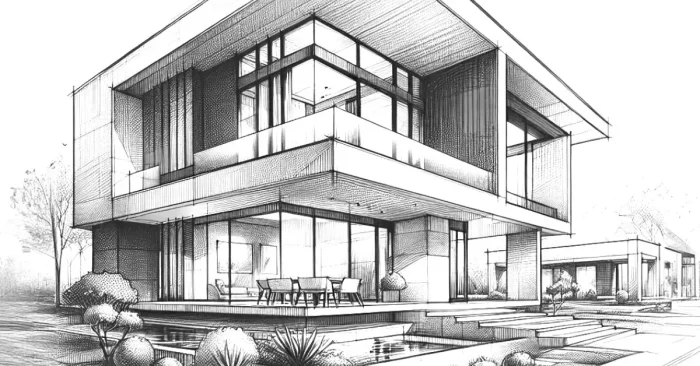
AI render tools are transforming 3D design, architecture, animation, and visual effects by making rendering faster, smarter, and more realistic. As these tools mature, professionals can produce high-quality outputs in a fraction of the time, unlocking new creative possibilities. For example, teams leveraging AI render tools often cite faster iteration cycles and the ability to explore more design options, a trend highlighted in AI Tools for Architects.
What Are AI Render Tools?
AI render tools are software solutions that apply artificial intelligence to enhance, speed up, and automate the rendering process for 3D models, images, and animations. For workflows around 3D modeling, AI Tools for 3D Modeling help streamline creation and optimization.
How Do They Work?
These tools use AI algorithms to predict lighting, denoise images, enhance textures, and reduce rendering times, allowing creators to achieve photorealistic results more efficiently. For practical examples in architecture and interior design, see AI Tools for Interior Design.
Why Are They Important?
Rendering is often time-consuming and resource-heavy. It saves time, reduces costs, and delivers higher-quality visuals for industries like architecture, gaming, and film. This efficiency enables faster iteration and broader creative exploration across projects.
Key Features
- AI-powered denoising for clean, sharp images.
- Real-time rendering with minimal lag.
- Photorealistic lighting and texture optimization.
- High-resolution output for animations and static renders.
- GPU acceleration for faster workflows.
- Cloud rendering support for large-scale projects.
- Compatibility with popular 3D design software.
Who Uses These Tools?
Architects and interior designers commonly use these tools to streamline concepting and visualization, with AI Tools for 3D Modeling helping 3D artists, animators, game developers, filmmakers, and product designers enhance their workflows. For interior-focused capabilities, see AI Tools for Interior Design.
Benefits and Limitations
Advantages: Faster rendering, cost savings, improved realism, reduced hardware strain, and smarter, more efficient workflows.
Limitations: Some tools require powerful GPUs; advanced features may be paid, and results still require human adjustments for perfection.
Industries That Benefit the Most
Architecture, real estate, product design, animation, film production, gaming, and advertising benefit the most from AI rendering technology. Learn how these tools apply to architecture projects in our overview of AI tools for architecture projects.
Best Practices
- Use high-quality input models for better AI results.
- Leverage AI denoising to cut rendering times.
- Optimize lighting setups for realistic effects.
- Combine AI tools with manual tweaks for best results.
- Export in high resolution for professional projects.
For architecture-focused workflows, see AI Architectural Design AI.
Top 5 Tools
NVIDIA Iray
AI-powered rendering engine that delivers photorealistic visuals with GPU acceleration.
Lumion AI
Popular among architects, it uses AI to enhance lighting, environments, and real-time rendering.
V-Ray with AI Denoiser
Integrates AI denoising to speed up workflows and produce clean renders faster.
D5 Render
Real-time AI rendering software for architects and designers with intuitive controls.
OctaneRender AI
GPU-based rendering engine using AI to improve quality and reduce noise in complex scenes.
Conclusion
AI render tools continue to evolve, offering faster production cycles, richer visuals, and scalable workflows for teams of all sizes. By combining high-quality inputs, selective AI denoising, and thoughtful lighting, professionals can maximize benefits while managing costs. For architecture-focused capabilities, explore AI tools for architecture projects.
FAQs About AI Render Tools
1. Can AI rendering replace traditional rendering completely?
Not entirely, but it speeds up the process and enhances quality while still requiring manual adjustments in some cases.
2. Do AI render tools need powerful hardware?
Most benefit from strong GPUs, though some offer cloud rendering options to reduce local hardware demands.
3. Are AI render tools good for beginners?
Yes, many are user-friendly and simplify workflows, making them accessible even to new designers.
4. Can AI rendering be used for animations?
Yes, AI render tools support high-quality animated sequences with optimized performance.