Explained in Depth: AI Tools for PDF Editing
PDFs remain the most utilized file format for exchanging documents, contracts, eBooks, reports, and other related materials. While editing PDFs used to require specialized software and manual formatting, AI-powered tools now streamline text and graphics edits, data extraction, summarization, translation, and even turning scans into editable files. In this guide, we look at what AI tools for PDF editing are, how they work, best uses, and common questions users ask about them.
What Are AI Tools for PDF Editing?
AI tools for PDF editing are applications that assist the user in completing tasks by utilizing artificial intelligence for working with PDF files. Learn more in our guide on the AI Tool to Edit Document. Most PDF editors are not much different from Word or other typical editors in that they require the application of substantial manual effort to modify text or images. AI editing is different in that it can auto-detect elements in a document, recognize text from scanned documents, summarize long reports quickly, and even reformat much of the content into new formats, Word, Excel, or a PowerPoint presentation.
Why PDFs Benefit from AI Editing
PDFs are considered secure and will look alike from device to device, but that consistency can inhibit editing. AI can assist this documentation or report editing process by utilizing natural language processing (NLP) to identify key ideas, extract data, and suggest edits. For more on AI-powered text editing, see our guide on the AI Text Editing Tools.
How AI Tools Work in PDF Editing
AI PDF editors use machine learning and OCR to recognize text and structures in documents. For example, if you upload a scanned invoice, AI can detect line items, numbers, and headings, then allow you to edit or export them into a spreadsheet. Some AI tools also integrate with chat-based assistants, where you can ask questions about a PDF and get instant answers without reading the entire file. For text editing workflows, see our guide on the AI Text Editing Tools.
Types of AI Tools for PDF Editing
AI PDF tools can be divided into categories: text and image editors, summarizers, converters, translators, data extractors, and collaboration tools. Depending on the use case, they help individuals, students, businesses, and researchers handle documents with speed and accuracy. The categories listed here also reflect broader trends described in our Best AI Tools guide.
Best Uses of AI Tools for PDF Editing
AI for Text and Image Editing
Tools like Adobe Acrobat AI Assistant and Smallpdf use AI to allow direct text and image editing within PDFs. This is useful when you need to update old documents, correct mistakes, or replace outdated graphics without converting the entire file. For more on AI-powered text editing, see our guide on the AI Text Editing Tools.
AI for Content Summarization
Reading through long reports can be exhausting. AI summarization tools like ChatGPT PDF plugins, Scholarcy, and PDF.ai can extract key points, create bullet summaries, and answer questions about the document. This is particularly helpful for students, lawyers, and researchers. For additional context on editing workflows, refer to our AI Tool to Edit Document guide.
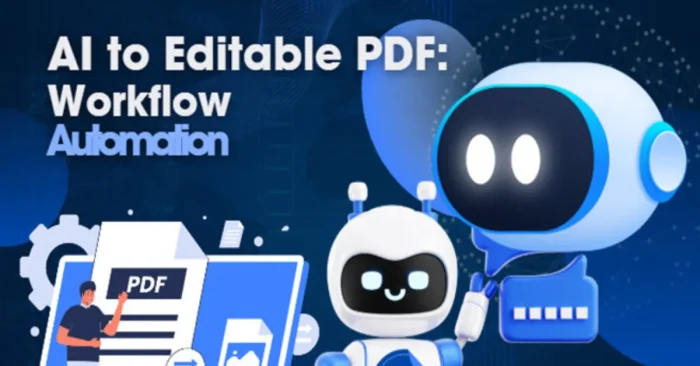
AI for PDF to Editable Format Conversion
AI-powered converters like Lumin PDF, UPDF, and PDFgear make it easy to transform PDFs into Word, Excel, or PowerPoint while preserving formatting. They recognize tables, fonts, and images to ensure the converted version is accurate and easy to edit. See the AI Tool to Edit Document for related workflows.
AI for Data Extraction
Businesses often need to extract structured data from invoices, contracts, or receipts. AI tools like Kofax, Docsumo, and Rossum can identify relevant fields and export them to spreadsheets or databases, saving hours of manual data entry. Explore related AI tool insights in our Best AI Tools roundup.
AI for Document Translation
AI translation tools such as DeepL and Google Translate can work directly with PDFs, allowing users to instantly translate entire documents into multiple languages. Some tools also keep the layout intact while changing only the text. For more on AI text editing capabilities, check out our AI Text Editing Tools guide.
AI for Search and Q&A
Instead of manually scanning through hundreds of pages, AI tools like ChatPDF let you “chat” with a PDF. You can ask questions such as “What are the main findings of this report?” or “Summarize section 3,” and get instant answers. For related editing workflows, see our AI Tool to Edit Document guide.
AI for Collaboration
AI-enabled PDF platforms like Kami and Hypothesis allow multiple users to annotate, comment, and co-edit PDFs in real time. They also suggest improvements in readability and formatting, making teamwork easier on shared documents. For more on editing-focused tools, refer to our Ai Copy Editor Tool overview.
AI for Accessibility
AI PDF tools can also improve accessibility by generating alt text for images, converting documents to speech, or adjusting reading levels. This ensures PDFs can be used by people with different needs and abilities. To explore editing-focused capabilities, see our AI Text Editing Tools guide.
FAQs on AI Tools for PDF Editing
1. Can AI tools edit scanned PDFs?
Yes. AI tools use OCR to recognize text in scanned images and convert them into editable, searchable content. This is useful for digitizing old books, forms, and handwritten notes.
2. Are AI PDF editors free?
Many AI PDF tools offer free versions with basic features like summarization or limited conversions. Premium versions unlock advanced capabilities such as unlimited edits, bulk processing, or team collaboration.
3. Do AI PDF editors work offline?
Some AI PDF tools require an internet connection to process files, especially for summarization or translation. However, a few professional editors like Adobe Acrobat Pro also offer offline AI-powered editing features.
4. Are AI PDF editors secure?
Most AI PDF editing tools prioritize security by using encryption and secure cloud storage. Always check the privacy policy of a tool before uploading sensitive documents.
In conclusion, AI tools for PDF editing are transforming how people work with documents. As of 2025, these tools handle quick text edits, content summarization, data extraction, and real-time collaboration with increasing speed and accuracy, while preserving layout and accessibility. Whether you are a student, business professional, or researcher, AI-powered PDF editors make working with PDFs faster, smarter, and more convenient, with ongoing improvements across languages and formats. To compare top AI tools for editing, see our Best AI Tools guide.