Explained in Depth: AI Tools for Presentations
Presentations are powerful means of communication for ideas, inspirations, and sharing information. Building compelling, engaging, professional, or aesthetically pleasing presentations usually takes countless hours, including slide design, content structuring, data visualization, and practice. This is where artificial intelligence becomes a real game changer. AI tools for presentations automate many time-consuming tasks in the development process—whether it is creating slides, enhancing designs, suggesting content options, or helping with real-time delivery. This type of tool not only saves hours but also helps produce a finished and effective presentation consistently. In this guide, we will unpack what AI tools for presentations are, how to use them, their benefits, best uses, and answer the most common questions. For more ideas on motion-enabled visuals, explore our guide on AI tools for animated presentations.
What is AI Tools for Presentations?
AI tools for presentations are software-based solutions that leverage artificial intelligence to help users create, design, and deliver presentations. Some AI tools can generate slides automatically based on text-based prompts; AI tools for PowerPoint slides can automatically generate slide layouts, locate a particular slide layout; propose color schemes; create visuals and icons to engage the audience better. In fact, some of the more advanced AI presentation tools support speech coaching; they can summarize content into slides; and can even adjust the design of a presentation based on the audience or purpose.
Why Presentations Benefit from Using AI
Making presentations with traditional methods involves a lot of repetitive work and can be time-consuming. We spend time formatting slides, adjusting layouts, updating slides, or refining visual design elements. AI tools for presentations have the capability to deliver a finished product from your source content in a fraction of the time compared to traditional methods. For pitch-focused decks, see our guide on AI tools for pitch decks.
Types of AI Tools for Presentations
AI presentation tools can be grouped into several categories, including slide generators, design assistants, content summarizers, data visualization tools, and delivery coaches. Together, they help users plan, design, and present with greater efficiency and confidence. AI Infographic Design Tools can also play a key role in turning data into compelling visuals.
Best Uses of AI Tools for Presentations
AI for Slide Generation
Tools like Beautiful.ai, Tome, and Gamma can generate slides instantly from simple text prompts. For example, entering “Marketing Strategy 2026” can produce a full slide deck with headings, bullet points, charts, and icons. This is especially helpful for professionals who need quick yet polished presentations. For pitch-focused decks, see our guide on AI tools for pitch decks.
AI for Slide Design
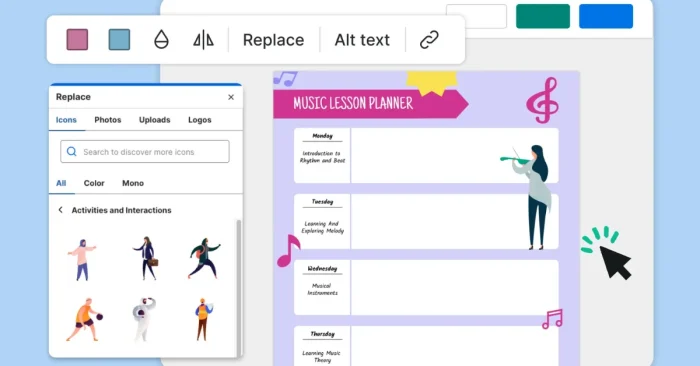
Design is crucial for audience engagement. AI design assistants like Canva’s AI Presentation Maker or Visme recommend layouts, colors, and fonts based on the theme. They also ensure alignment, spacing, and consistency across slides, reducing the need for manual adjustments. For high-quality visuals, consider the AI Presentation Images Tool.
AI for Content Summarization
Turning large reports or research papers into concise slides can be challenging. AI summarizers like ChatGPT-based tools, Jasper, or Notion AI can extract key points and convert them into presentation-ready text. This is valuable for students, educators, and business analysts who frequently present long documents. For visual data, you might also explore AI Infographic Design Tools.
AI for Data Visualization
Complex data needs to be presented in a clear and engaging way. Tools like Zoho Show and Power BI with AI features can automatically generate charts, infographics, and dashboards. They help transform spreadsheets into visuals that audiences can quickly understand. For visuals-first presentations, see the AI Infographic Design Tools.
AI for Image and Media Selection
Relevant images and videos enhance presentations. AI tools like Pictory and DALL·E generate or recommend visuals based on slide content. This reduces the time spent searching for stock images and ensures presentations are visually appealing. For additional motion-friendly visuals, check out our guide to AI tools for animated presentations.
AI for Speech Coaching
Delivery matters as much as design. AI tools like Orai and Yoodli provide real-time speech feedback—analyzing tone, pace, filler words, and body language (via video). This helps presenters practice and improve delivery before addressing live audiences.
AI for Collaboration
Team presentations require seamless collaboration. AI-enabled tools like Miro, Canva, and Google Workspace with AI suggestions allow multiple team members to co-edit slides, generate design ideas, and maintain consistency across shared projects. For more visual collaboration, see our guide on AI tools for animated presentations.
AI for Accessibility
Presentations should be accessible to all audiences. AI tools can generate captions, translate content, and adjust readability. For example, Microsoft PowerPoint with Copilot can create alternative text for images and provide accessibility recommendations automatically. For additional PowerPoint-focused accessibility features, see AI tools for PowerPoint slides.
FAQs on AI Tools for Presentations
1. Can AI tools create a full presentation from scratch?
Yes. Many AI tools can generate complete presentations from a text prompt or uploaded document. They automatically create slides, suggest layouts, and even recommend visuals. However, final editing by the user is usually needed for personalization.
2. Are AI presentation tools suitable for professional use?
Absolutely. AI presentation tools are widely used by professionals in business, education, startups, and research. They save time, improve quality, and help users present with confidence in formal settings.
3. Do AI tools work with PowerPoint and Google Slides?
Yes. Many AI presentation assistants integrate with PowerPoint and Google Slides, while others generate presentations that can be exported to these platforms. Some also work as browser-based standalone apps.
4. Are AI presentation tools expensive?
Not necessarily. Many offer free versions with basic features, while premium versions provide advanced capabilities like branding, collaboration, and analytics. Pricing depends on the tool and use case, but even free plans can meet the needs of students and professionals.
In conclusion, AI tools for presentations are revolutionizing how people design and deliver content. By automating slide creation, improving design consistency, summarizing content, and offering delivery feedback, these tools help users create impactful presentations in less time. Whether you’re a student, a business professional, or an educator, AI presentation tools provide efficiency, creativity, and confidence to make every presentation stand out in 2026 and beyond. For a motion-focused overview, explore our guide to AI tools for animated presentations.