Introduction to AI Infographic Design Tools
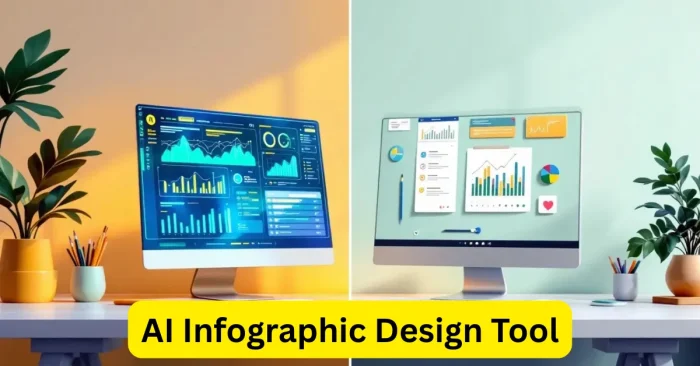
AI infographic design tools have transformed how businesses, marketers, and educators present data. These platforms utilize artificial intelligence to automate layout decisions, generate ready-to-use templates, and tailor visuals for industries ranging from marketing to education and finance. With ongoing advances in machine learning, these tools empower users to produce professional-looking infographics without specialized design training, helping teams communicate ideas and metrics clearly and persuasively. For teams starting from raw data, AI text-to-infographic generator tools can accelerate initial drafts.
Why Use AI Infographic Tools
AI infographic tools save time, boost productivity, and deliver professional-quality visuals at scale. Traditional design requires expert skills and manual tweaking, but AI-powered platforms automate layout decisions, color optimization, and font pairing. They also include extensive libraries of templates, icons, and data-visualization options, helping users focus on content while maintaining brand consistency. In practice, organizations can share insights more effectively through cohesive, compelling visuals, from executive dashboards to classroom lessons. See how AI tools for data visualization can transform raw numbers into clear charts and dashboards.
Key Features of AI Infographic Tools
AI-powered infographic tools offer features such as drag-and-drop editors, AI-generated templates, automatic data visualization, and seamless export to presentation and publishing platforms. Many tools also use AI to suggest design improvements, optimize colors, and adapt visuals for different platforms and devices. Users can input raw data, and the tool will automatically convert it into professional infographics, charts, and diagrams, making complex information more understandable and engaging. For data-heavy work, these capabilities are complemented by AI tools for data visualization that turn numbers into insights at a glance.
Top Benefits for Businesses and Educators
Businesses use AI infographic design tools to create marketing materials, reports, and presentations that capture attention. For educators, these tools simplify presenting lessons, research, and data in ways students grasp more easily. AI helps ensure polished, visually balanced designs, enabling teams to save time and resources. By generating infographics faster, organizations can shift focus from manual layout work to strategy and content delivery. See how AI Tools for Graphic Design can complement classroom and corporate materials.
Popular AI Infographic Tools
Several AI-powered platforms dominate the infographic design space. Some popular examples include:
- Canva AI: A versatile design platform offering AI features like Magic Design for creating instant infographics.
- Visme: A professional tool with AI-powered templates for businesses, marketers, and educators.
- Piktochart: Focused on data visualization and reports with AI-enhanced editing.
- Venngage: A tool known for its infographic templates and user-friendly design interface.
- Designs.ai: Offers AI-driven infographic creation with customizable branding options.
For slide-ready visuals, you may also explore AI Presentation Images to quickly craft visuals for slides and pitches.
How AI Enhances Infographic Creation
AI-Generated Templates
AI provides smart templates tailored to different industries. Users can select a theme, and the AI generates infographic layouts based on the chosen topic, saving time and improving design consistency. For more control over initial drafts from text prompts, see AI text-to-infographic generator tools.
Data Visualization Automation
Instead of manually creating graphs or charts, AI tools turn raw numbers into visually appealing visuals. This helps professionals quickly transform data into engaging graphics for reports and presentations. The resulting visuals are often ready to publish across dashboards, slides, and print materials.
Design Optimization
AI analyzes color balance, font readability, and layout arrangement to ensure infographics are professional and user-friendly. These optimizations make designs look more polished without extra effort. For broader design capabilities, you can explore AI Tools for Graphic Design.
Content Personalization
AI can adapt designs to match brand identity by applying brand colors, logos, and fonts. This creates a consistent look across all infographics for better brand recognition.
Cross-Platform Adaptability
Infographics designed with AI can be resized automatically for different platforms like websites, social media, or presentations, ensuring high quality across formats.
Frequently Asked Questions (FAQs)
What is an AI infographic design tool?
An AI infographic design tool is a software that uses artificial intelligence to create professional and visually appealing infographics automatically, reducing the need for advanced design skills. For broader capabilities, see AI Tools for Graphic Design.
Which is the best AI infographic tool for beginners?
Canva AI is considered one of the best tools for beginners because of its easy-to-use interface, AI-generated templates, and wide range of design options. Beyond Canva, you might also try AI Design Tool Free for a budget-friendly option.
How do AI tools save time in infographic design?
AI tools save time by automating tasks such as layout creation, data visualization, and design adjustments, enabling users to create high-quality infographics in minutes.
Can AI infographic tools be used for business branding?
Yes, AI infographic tools allow customization with brand logos, colors, and fonts to maintain a consistent identity across marketing materials, reports, and presentations.
Are AI infographic design tools free?
Many AI infographic design tools offer free versions with limited features, while premium plans provide access to advanced AI templates, automation, and branding options.