Why Tools for Image Editing Are Essential Today
Image editing is no longer reserved for professional designers or photographers. With modern tools, anyone can enhance photos, create graphics, and design visuals that stand out online. From removing blemishes to adjusting colors, editing tools simplify the creative process and make high-quality design accessible to everyone. In this detailed guide, we’ll explore the benefits, features, and best practices of using image-editing tools. Whether you’re a business owner, student, marketer, or casual creator, you’ll discover how these solutions can elevate your visuals.
In this guide, we cover the features, best practices, and practical tips for using image-editing tools. Whether you’re a business owner, student, marketer, or casual creator, you’ll see how these solutions can elevate your visual content.
Improving Visual Appeal
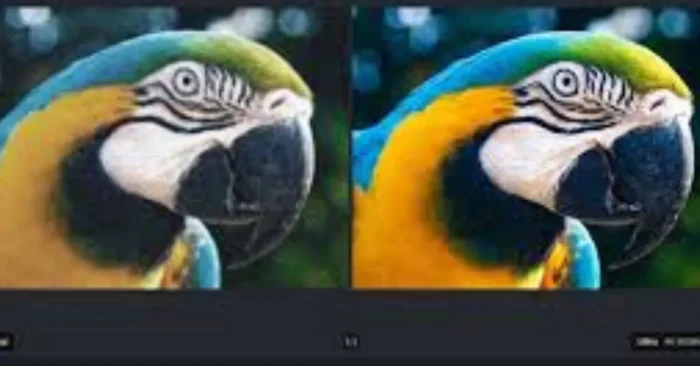
First impressions matter, and visuals are often the first thing people notice. AI-powered enhancements and editing platforms help users to boost brightness, sharpen details, and apply filters that instantly improve image quality, making visuals more engaging.
Supporting Branding Efforts
Consistency is key in branding. Editing tools enable businesses to apply brand colors, create uniform styles, and add watermarks or logos. AI-powered workflows help keep product visuals on-brand, ensuring a professional and cohesive look across all marketing materials.
Boosting Marketing Results
As of 2024, content with appealing images tends to receive significantly higher engagement on social platforms. Tools for editing help marketers design eye-catching visuals for social media posts, advertisements, and websites, resulting in stronger audience reach. For example, see how AI-driven tools compare to traditional editing in our article AI vs Photoshop Image Editing Tools.
Saving Time and Effort
Modern editors simplify complex design tasks. Features like one-click enhancements, batch editing, and pre-made templates save hours of manual work, giving creators more time to focus on storytelling and strategy. For practical steps using AI-assisted presets, see How To Edit Pictures With AI Tools.
Offering Advanced Features Without Expertise
Users don’t need to be experts to produce great results. Features like background removal, smart cropping, and AI-powered adjustments make it possible for beginners to create professional-grade images with ease. See AI Tools for Photo Editing for a full suite of beginner-friendly features.
Enhancing Product Photography
For e-commerce businesses, image quality directly impacts sales. Editing platforms help highlight product details, adjust lighting, and remove distractions, ensuring product photos look polished and persuasive. For more on product-ready editing, explore AI Product Image Tools.
Facilitating Creativity
Beyond professional use, editing tools encourage creativity. From adding artistic effects to experimenting with color palettes, they allow users to explore unique design styles and create original artwork. For AI-assisted creative workflows, see How To Edit Pictures With AI Tools.
Making Content Share-Ready
Social media platforms require specific dimensions and formats. Editing software helps resize, crop, and optimize images for each platform, ensuring visuals are ready to share without losing quality. For automated resizing and platform-specific templates, explore AI Tools for Photo Editing.
Frequently Asked Questions (FAQs)
1. What are the best tools for image editing?
Some of the most popular platforms include Adobe Photoshop, Canva, GIMP, Pixlr, and Fotor. Each tool has its strengths: Photoshop for professional work, Canva for ease of use, and GIMP for open-source flexibility. For AI-powered alternatives and enhancements, check out AI Tools for Photo Editing.
2. Can free tools deliver professional-quality results?
Yes, many free platforms offer powerful features. Tools like GIMP, Pixlr, and Canva’s free version provide editing options that rival paid software, though advanced features are often reserved for premium plans. Explore AI-assisted options in AI Tools for Photo Editing to see how AI can enhance free tools.
3. Are editing tools suitable for beginners?
Absolutely. Many platforms are designed with simple interfaces, drag-and-drop features, and pre-made templates, making them ideal for beginners while still offering advanced features for professionals. For guided beginner workflows, visit How To Edit Pictures With AI Tools.
4. Which editing tool is best for social media creators?
Canva, Fotor, and Pixlr are excellent choices for social media content. They provide templates, quick resizing options, and user-friendly editing tools optimized for platforms like Instagram, TikTok, and Facebook. To compare AI-enabled options, see AI vs Photoshop Image Editing Tools.