Introduction to DALL·E Free Image Generator Tools
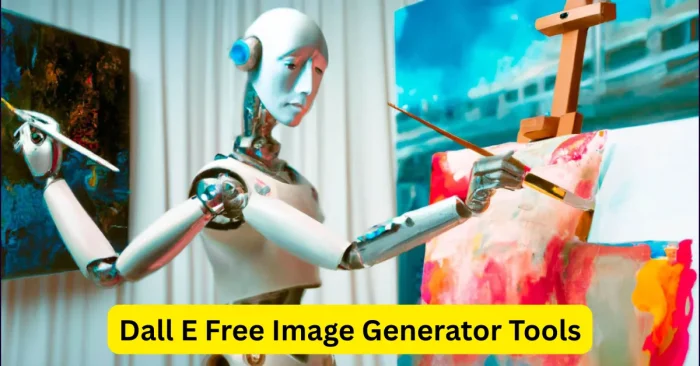
DALL·E is an AI-powered image generation tool developed by OpenAI that translates textual prompts into highly detailed visuals. As of 2026, free image generator tools in this space continue to evolve with better quality, licensing options, and accessible interfaces. DALL·E free image generator tools let anyone create striking visuals without advanced design skills or expensive software. As part of the growing field of AI image generation, these tools are popular with artists, marketers, e-commerce teams, and content creators for producing illustrations, product visuals, social media graphics, and concept art quickly and affordably. By leveraging deep learning, DALL·E interprets prompts and delivers images with consistent quality and varied styles. Understanding DALL·E and the surrounding free tools helps users maximize creativity and productivity in digital content creation. For a broader overview of free-to-use AI image generators, see AI Image Generator Free Tools.
How DALL·E Free Image Generators Work
DALL·E uses advanced neural networks trained on large datasets of images and textual descriptions. Users provide a prompt describing the desired image, including details such as objects, style, colors, and scene context. The AI then generates an image that matches the prompt, often offering multiple variations to choose from. Many platforms allow users to refine outputs, upscale resolution, and apply different artistic styles. The AI’s ability to understand natural language makes image creation intuitive, allowing even beginners to produce professional-quality visuals quickly. Iterative refinement and prompt adjustment are key strategies for achieving desired results with DALL·E. For more on prompting techniques, see How To Use AI To Generate Images.
Key Features of DALL·E Free Image Generator Tools
DALL·E tools offer a range of innovative features for digital creators:
Text-to-Image Generation
Users can generate high-quality images by entering descriptive text prompts, turning ideas into visuals instantly without manual design.
Multiple Image Variations
The AI provides several image variations for each prompt, allowing users to select or combine outputs for improved creativity and flexibility.
Style Customization
DALL·E supports various artistic styles, including realism, cartoon, abstract, and digital art, enabling tailored outputs for different projects.
High-Resolution Output
Generated images can be exported in high resolution suitable for social media, websites, marketing materials, and print media.
Easy-to-Use Interface
Most DALL·E free tools offer intuitive web-based interfaces, making AI image generation accessible to beginners and professionals alike.
Top DALL·E Free Image Generator Tools
Several platforms provide free or freemium access to DALL·E image generation features, each with unique advantages:
- DALL·E 3 (OpenAI) – Official free tier offering text-to-image generation with multiple variations and high-quality output.
- Craiyon – Formerly known as DALL·E Mini, provides simplified AI image generation for free, ideal for casual creators.
- NightCafe Studio – Integrates DALL·E with other AI models, allowing free daily credits for image creation and style customization.
- Fotor AI – Cloud-based platform providing DALL·E-powered image generation with user-friendly design templates.
- Pixray – Open-source tool using DALL·E models to generate creative images and artistic concepts with free options.
In addition to the listed options, you can explore AI Picture Creator Online Tools, which offers similar capabilities and templates for quick visuals.
Benefits of Using DALL·E Free Image Generators
DALL·E free image generators provide numerous advantages. They save time and reduce costs compared to hiring professional designers or illustrators. Users can experiment with multiple styles and variations quickly, enhancing creativity. These tools are accessible to beginners, requiring only descriptive prompts without technical expertise. Businesses benefit from scalable solutions for social media content, marketing campaigns, and e-commerce visuals. Additionally, free access allows individuals and small teams to explore AI image generation without significant investment. Overall, DALL·E tools increase efficiency, inspire creativity, and provide high-quality visuals for diverse digital needs. For more options, explore Generate Image With AI Free Tools.
Tips for Using DALL·E Free Image Generators
Write Clear Prompts
Effective prompts produce better results. Include detailed descriptions of objects, colors, scene, and style to guide the AI in generating accurate images. For guidance on crafting effective prompts, see Text Prompts For AI Image Tools.
Experiment with Variations
Use multiple prompts and iterations to explore different outputs, ensuring a wide selection of creative images to choose from.
Refine and Upscale
Many platforms allow refining generated images or upscaling them to higher resolutions for professional use.
Combine Styles
Mix and match artistic styles, such as realism and abstract, to create unique and visually appealing images for projects.
Check Licensing
Even with free tools, review licensing terms to ensure generated images are compliant with commercial or personal use requirements.
Frequently Asked Questions (FAQs)
What is DALL·E?
DALL·E is an AI image generation tool that creates visuals from textual prompts using deep learning algorithms.
Are there free DALL·E image generators?
Yes, platforms like DALL·E 3 (OpenAI free tier), Craiyon, NightCafe, Fotor AI, and Pixray offer free or freemium access for generating images.
Do I need design skills to use DALL·E?
No, DALL·E is user-friendly and requires only descriptive text prompts to create high-quality visuals.
Can DALL·E images be used commercially?
Many DALL·E tools provide commercial licenses, but it is important to check each platform’s terms for compliance.
How can I get better results with DALL·E?
Use detailed prompts, experiment with multiple variations, apply style customization, and refine outputs to achieve the best results.