Analyzing the Ai Color Palette Generator
Colors are a big factor in design, branding, marketing, and user experience. The right colors can make a project shine, while bad colors will dull the quality of the project. A Color Palette Generator gives creators, designers, and businesses a fast and effective way to accomplish color harmony, quickly. Instead of spending a day messing around with different colors, you can streamline your workflow with AI-assisted tools that integrate with platforms like Canva and Figma, enabling faster iterations. For example, AI artistic design tools help automate color suggestions and layout decisions, speeding up the design process.
You can generate a palette that helps bring trends, messages, and visuals together fast. In our guide, we’ll cover the complete details of a Color Palette Generator, how it works, benefits, limitations, and best practices. This palette-building approach also supports branding across logos and marketing materials, a workflow often enhanced by AI logo generator tools.
What is a Color Palette Generator?
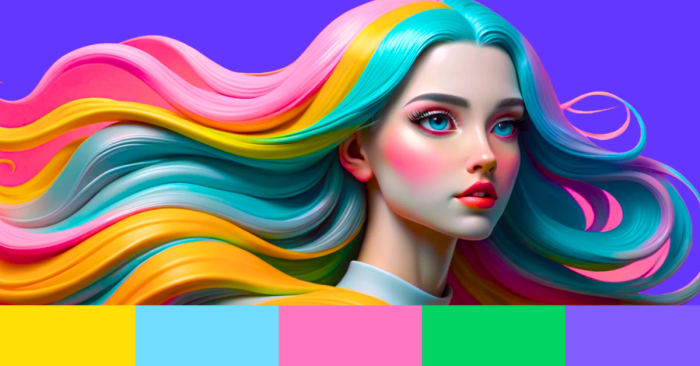
A Color Palette Generator is a tool that generates sets of complementary or contrasting colors. It is used by graphic designers, web developers, branding specialists, and content creators for developing color schemes for logos, websites, presentations, and digital products. Using a color palette generator ensures consistent color applications and aligns branding with visual design objectives, creating a professional look and feel to your tools and materials. For designers who want tighter integration, this is often achieved by exporting palettes directly into design software like Photoshop, Figma, or Canva, a capability highlighted by AI artistic design tools.
How does a Color Palette Generator work?
The tool takes the basic principles of color theory into account like contrast, harmony & saturation. Then they ask the user to input a base color, an image or select a colour palette from pre-built templates. It will return matching or contrasting colours that make sense and work aesthetically together. More sophisticated tools will generate a range of colours. Advanced tools may also analyze brand identity to tailor palettes, a capability highlighted by AI artistic design tools.
Limitations and Challenges
Although helpful, color palette generators have limitations. Automated suggestions may not always align with unique branding requirements. In some cases, generated palettes may lack cultural or emotional relevance, making them unsuitable for specific audiences. Additionally, free versions often provide fewer customization options compared to premium tools.
Common Uses of Color Palette Generators
Color palette generators are widely used in web design, logo creation, marketing campaigns, and digital content development. Social media creators use them for cohesive post designs, while interior designers use them to plan room aesthetics. Photographers and artists often rely on these tools to extract color schemes from reference images. This approach is often complemented by AI tools for mood boards.
Choosing the Right Color Palette Generator
When selecting a generator, users should look for features such as HEX and RGB code outputs, image-based palette extraction, accessibility testing, and export options. Some generators also integrate directly with design software like Photoshop, Figma, and Canva, allowing smoother workflows, a capability provided by AI artistic design tools, which can help you apply palettes more efficiently.
Integration with Other Design Tools
Many color palette generators integrate with online design platforms and CMS systems. Designers can export palettes directly into tools like Adobe XD, Sketch, or website builders. Some even allow one-click application of palettes to templates, making the design process faster and more consistent. This streamlined workflow is often enhanced by AI-enabled tools that help map colors to components across a project, a capability you can explore in AI artistic design tools.
The Future of Color Palette Generators
The future of these tools will likely involve more personalization and intelligent recommendations. Looking ahead in 2026 and beyond, advanced systems may analyze brand identity, industry, and audience demographics to generate highly targeted palettes. They may also offer real-time previews, automatically applying colors to websites, marketing designs, or user interfaces for instant evaluation. These capabilities are also a focus of AI mood board solutions, such as those found in AI tools for mood boards.
FAQs About Color Palette Generators
1. Can I create palettes from photos?
Yes, many tools allow you to upload images and generate palettes based on the dominant colors. This feature is particularly useful for matching brand visuals or recreating the feel of a photograph.
2. Are the generated palettes unique?
Most generators create palettes based on algorithms and color theory, which may result in similarities. However, by adjusting shades, locking colors, or mixing manual choices, users can develop unique schemes.
3. Do I need design knowledge to use a Color Palette Generator?
No, these tools are beginner-friendly. They provide ready-made palettes and simple customization, so anyone can create attractive color combinations without deep knowledge of design principles.
4. Are Color Palette Generators free?
Yes, many are free with essential features. Paid versions often include advanced options like exporting palettes in multiple formats, integration with professional tools, and accessibility testing for digital content.