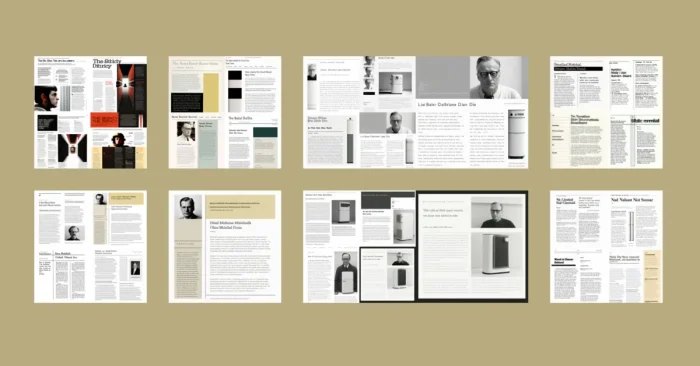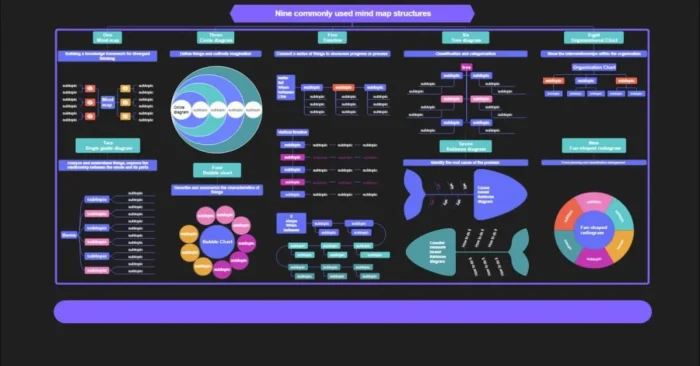
Introduction to AI Text to Infographic Generator Tools
AI text-to-infographic generators are redefining how businesses, educators, and marketers turn information into visuals. Infographics remain among the most effective ways to convey data, processes, and ideas at a glance. While creating them used to require specialized design skills and costly software, today’s AI-powered tools streamline the process, turning text or structured data into ready-to-share visuals optimized for engagement. These platforms save time, enhance accessibility, and enforce current design best practices, letting professionals focus on strategy and storytelling while the AI handles layout and styling. As these tools mature, they empower non-designers to produce publish-ready visuals with professional polish.
How AI Infographic Tools Work
AI infographic generators analyze input text and data to pinpoint the main ideas and the best design layout. They leverage natural language processing to highlight keywords, numbers, and relationships, then suggest visual formats such as charts, timelines, diagrams, or icons. Most tools include ready-made templates that can be customized to match brand identity. Many also support importing data from spreadsheets, enabling automatic creation of charts and graphs. By pairing automation with flexible editing, these platforms speed up production while maintaining readability and SEO-friendly structure. For a broader overview of AI infographic design capabilities, see AI infographic design tools.
Benefits of Using AI Infographic Tools
AI text-to-infographic tools offer several compelling benefits. The most important is time savings, as these tools drastically reduce the hours required to design. Another benefit is improved engagement: visuals are processed faster by the human brain, and infographics are shared more often on social media than plain text. AI also helps ensure accuracy and consistency, maintaining professional standards with minimal manual input. Many platforms optimize visuals for search engines by including proper metadata and layered text. Additionally, these tools align with best practices in data storytelling, and for more on data-visualization workflows, see AI tools for data visualization. Finally, these tools empower non-designers to create polished infographics without relying on expensive services.
Key Features of AI Infographic Generators
Modern AI infographic tools come with a variety of features that make them powerful for professionals. Most platforms include drag-and-drop editors, pre-designed templates, and automatic color suggestions. AI-powered recommendations help users choose the best layout based on content type. Many tools also come with collaboration features, allowing teams to work together on the same design. Exporting is easy, with options to download infographics in multiple formats such as PNG, PDF, or even interactive HTML. Advanced platforms also integrate with analytics tools, allowing businesses to measure how their infographics perform online. These features make AI tools more than just design assistants; they are complete communication solutions.
Top AI Text to Infographic Generator Tools
Several platforms stand out for their reliability and user-friendly features. Each one caters to different needs, from marketing teams to educators and researchers. Below are the most popular AI text to infographic tools.
1. Canva
Canva is one of the best-known platforms for creating graphics, and it now integrates AI features. Users can input text, and Canva will suggest infographic templates. It also has a large library of icons, charts, and images, making it highly versatile for both beginners and professionals. For an overview of AI infographic design tools, see AI infographic design tools.
2. Venngage
Venngage is focused on data visualization and business communication. Its AI-driven recommendations help businesses create structured infographics for reports, marketing campaigns, and case studies. The tool also offers branding features, making it a strong choice for corporate teams. For broader guidance on AI infographic design tools, see AI infographic design tools.
3. Piktochart
Piktochart is widely used for data-driven infographics. It allows users to import spreadsheet data and automatically convert it into charts and visual reports. With AI assistance, the platform ensures accuracy and readability in every design. For related capabilities in data visualization, explore AI tools for data visualization.
4. Visme
Visme is a versatile platform that helps create infographics, presentations, and interactive designs. Its AI features recommend layouts based on input text, while advanced customization options allow brands to maintain consistent visual identity. See also AI tools for graphic design for broader design workflows.
5. DesignCap
DesignCap is known for its simplicity and speed. Its AI tools generate infographic designs from plain text within minutes. With templates covering education, business, and marketing, DesignCap is ideal for users who want quick results without advanced design skills. For a deeper look at AI infographic design tools, see AI infographic design tools.
Applications of AI Infographic Tools
AI text-to-infographic generator tools are applied across industries. In education, teachers use them to simplify lessons and improve student engagement. In marketing, businesses use infographics to present statistics, product comparisons, and success stories in a more engaging way. Researchers use AI tools to summarize findings into visual reports that are easier to understand. Nonprofits use them to communicate campaign results and impact data effectively. In corporate training, infographics help employees absorb complex processes faster. These applications highlight the wide potential of AI-powered infographic platforms in everyday communication. When exploring related capabilities, see AI tools for data visualization.
Challenges and Limitations
Despite their benefits, AI infographic tools have certain limitations. The designs generated may lack creativity compared to a professional graphic designer’s work. Over-reliance on templates can lead to repetitive visuals. Some tools also limit customization in their free versions, requiring paid subscriptions for advanced features. Another challenge is that AI may not always understand context perfectly, which means users should review and adjust the final product. However, these challenges can be managed with human input, ensuring that AI remains a supportive tool rather than a replacement for creativity.
Future of AI in Infographic Generation
The future of AI infographic tools is promising, with more advanced features expected in the coming years. Natural language processing will become more accurate, allowing AI to interpret complex data and create even more relevant visuals. We can also expect more interactive infographics that adapt dynamically to user engagement. Integration with AI-driven analytics will help businesses measure the success of their visuals in real time. Emerging technologies like augmented reality and virtual reality could make infographics immersive experiences. As adoption grows, marketers will increasingly combine real-time data with visuals, and explore AI-enabled capabilities for data visualization and presentation. These developments will further solidify AI’s role in the future of digital communication.
Frequently Asked Questions (FAQs)
What are AI text to infographic generator tools?
AI text to infographic generator tools are software platforms that use artificial intelligence to transform written text into visually appealing infographics.
Which AI tools are best for creating infographics?
Some of the best tools include Canva, Venngage, Piktochart, Visme, and DesignCap, each with unique features for different users.
Do I need design experience to use these tools?
No, these tools are built for beginners as well as professionals. They provide templates and AI recommendations to simplify the process.
Can AI infographic tools improve SEO performance?
Yes, infographics attract more engagement and backlinks, which improve search rankings. Many tools also optimize visuals for online publishing.
Are AI infographic tools free?
Most platforms offer free versions with limited features. Paid plans unlock more templates, advanced customization, and high-resolution downloads.