AI Pet Portrait Generator Explained in Depth
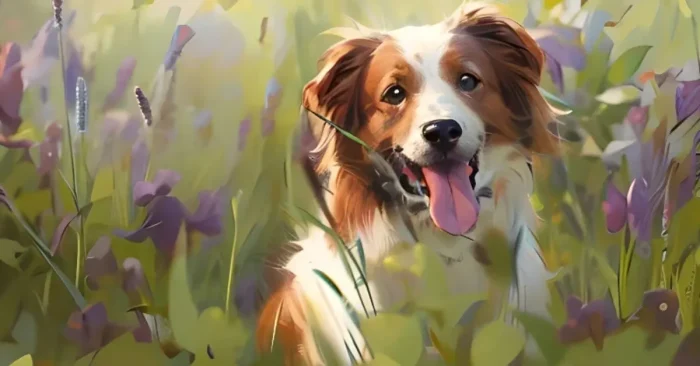
AI pet portrait generator tools let you turn a photo or a detailed description of your pet into a lifelike or stylized illustration with minimal effort. These platforms translate an image into artwork that captures personality and breed nuances, producing a high-quality portrait you can print or share. For a broader overview, see our guide on AI Portrait Generator Tools.
These tools save time, let you experiment with multiple creative styles, and produce professional-quality portraits for keepsakes, gifts, or client work. This guide explains how they work, highlights key features of AI pet portrait tools, and introduces the top platforms available today. For a broader overview of related portrait technology, see our AI Portrait Generator Tools guide as well.
What Are AI Pet Portrait Generator Tools?
These tools automatically generate lifelike or artistically stylized pet portraits from photos or text descriptions of pets, with options to adjust style, background, and pose.
How Do These Tools Work?
They analyze input images or descriptions, identify key features (facial structure, fur pattern, lighting), and use trained AI models to render portraits in selected styles.
Why Are These Tools Important?
They save time, allow exploration of multiple artistic styles, and help produce professional-quality portraits for keepsakes, gifts, or client work—without requiring manual drawing skills.
Key Features of AI Pet Portrait Tools
- Automatic portrait generation from photos or text descriptions.
- Customizable artistic styles (realistic, cartoon, watercolor, etc.).
- High-resolution output suitable for printing or digital use.
- Template library and style presets for inspiration.
- Ability to create multiple variations quickly.
- Integration with photo editing and design software.
- Color palette customization for fur and background.
- Export in various formats (PNG, JPEG, etc.).
Who Uses These Tools?
Pet owners, digital artists, designers, and gift creators use these tools to make professional pet portraits easily and creatively.
Benefits and Limitations
Advantages: Speeds up portrait creation, allows multiple variations, ensures high-quality results, and inspires creativity.
Limitations: Over-reliance may reduce originality, and advanced features may require subscriptions.
Industries That Benefit the Most
Pet photography, digital art, gifts, e-commerce, and illustration industries benefit greatly from these tools.
Best Practices for Using AI Pet Portrait Tools
- Provide clear, high-quality images or detailed descriptions of pets.
- Experiment with different artistic styles and backgrounds, including pixel art, using AI Pixel Art Generator Tools.
- Combine AI-generated portraits with manual adjustments for refinement.
- Test multiple variations for personalized results.
- Ensure final output is suitable for printing or digital sharing.
Top 5 AI Pet Portrait Tools
Fotor AI
Generates realistic and artistic pet portraits from photos or descriptions with customizable styles.
PetPortrait AI
Specialized AI tool for creating lifelike and stylized pet portraits efficiently.
DeepAI Pet Generator
Uses AI to transform images or text prompts into high-quality pet illustrations.
Artbreeder
Allows users to create unique pet portraits by blending images and applying AI-assisted style variations.
Prisma AI
Converts pet photos into artistic portraits with filters and AI-enhanced designs.
For a broader exploration of realism in AI-generated pet art, see AI Tool Creates Most Realistic Pets.
FAQs About AI Pet Portrait Generator Tools
1. Can beginners use these tools?
Yes, they are intuitive and suitable for users of all skill levels to create professional pet portraits quickly.
2. Do these tools improve creativity?
Yes, they provide multiple style options and variations, helping users explore creative portrait ideas efficiently.
3. Are these tools expensive?
Many offer free versions with basic features, while full functionality may require a subscription.
4. Can these tools replace human artists?
They assist in portrait creation, but human artistic input is still valuable for unique and customized results.