Understanding AI Children’s Animation Tools
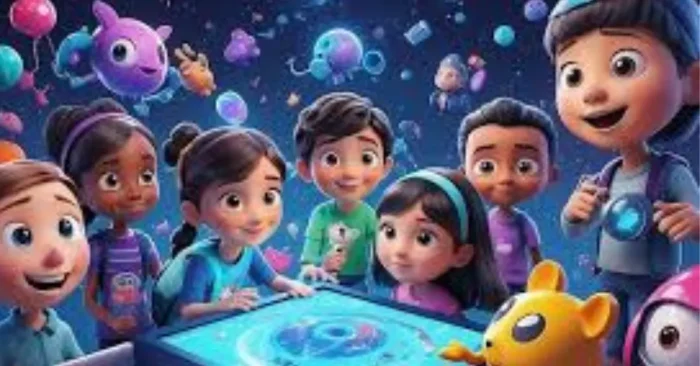
AI children’s animation tools are transforming how educators, storytellers, and content creators produce engaging animations for kids. Leveraging advanced algorithms, these platforms generate colorful, interactive, and age-appropriate content that supports learning and storytelling in a fun, accessible way. For quick prototyping and inspiration, many creators start with AI Tools for Animation.
What Are AI Children’s Animation Tools?
AI children’s animation tools are software platforms that leverage artificial intelligence to create animated characters, scenes, and stories for children’s entertainment. They simplify the animation process so that anyone can use them, including those with little or no design experience. To explore kid-focused workflows, you can also check out AI Tools for Kids.
Typical Features
Typical features include customizable character design, voiceover capabilities, interactive stories, scene-to-scene movement, colorful dynamic visual effects, as well as the ability to export for online or video use. For kids-focused workflows, you can also explore AI Tools for Kids to tailor content for younger audiences.
Advantages for Educators and Creators
These tools empower teachers and creators to deploy valuable learning content quickly. The use of visual storytelling helps clarify complex concepts, sustain kids’ attention, and improve understanding. For example, the AI Educational Video Generator can help craft lesson-ready videos that align with standards.
Where Can You Use Children’s Animation?
The possibilities include educational videos, storybooks, interactive lessons, e-learning courses, apps for kids, and entertaining short films. Animation projects can be used in a classroom learning environment, online learning environment, or in a video or digital content environment. For ready-to-use templates and practical workflows, see AI Animation Creator.
What Can You Customize?
You can customize characters’ visual appearance, background scenes, colors of animation, and speed of the animation. More advanced tools allow you to add additional interactivity, such as clickable elements, quizzes, or nodes in a story that depend on kids’ choices. For examples of interactive presentation formats, explore AI tools for animated presentations.
Integration with Educational Platforms
Animations can be exported in MP4, MOV, or GIF formats compatible with e-learning platforms, YouTube Kids, social media, and mobile applications. Integration ensures smooth distribution and accessibility.
Time and Cost Efficiency
Traditional animation is time-consuming and costly. AI tools reduce production time and expenses, allowing creators to focus on storytelling and educational content.
Accessibility for Non-Designers
Even educators without graphic design skills can produce professional-quality animations using drag-and-drop interfaces, AI-assisted character generation, and pre-made templates.
Best Practices for AI Children’s Animation Tools
Choosing Age-Appropriate Content
Select themes, colors, and storylines suitable for the intended age group. Ensure content is safe, educational, and engaging for children.
Balancing Animation and Learning
Animations should support learning objectives without being overly distracting. Integrate visual cues and narration that reinforce key concepts.
Character and Scene Design Optimization
Design characters and scenes to be relatable and visually appealing to children. Use consistent colors, characters, emotions, and backgrounds to help children engage more effectively. For additional kid-friendly design references, see AI Tools for Kids.
Interactive Elements
Create clickable or decision-based content in your animations to enhance engagement and allow children to have an interaction with the story or lesson. For practical interactive examples, refer to AI tools for animated presentations.
Previewing and Refining
When previewing an animation, check for smooth transitions, proper timing, and that the audio is properly timed for the visuals. Adjust pacing and sequences if needed. For additional guidance, the AI Educational Video Generator can help with alignment of audio and visuals.
Correct Export
Ensure video is exported in a format and resolution appropriate for the target platform whether that is classroom projectors, mobile apps, or video streaming platforms.
Consistent Style Across Lessons
Keeping animation and styles consistent across a series of videos or lessons can help to further cement learning and identification for the children.
Regularly Reuse Templates and Updating Software
Regularly reuse templates and keep software up to date with the latest AI features to keep animations fresh and engaging for young learners. Stay connected with ongoing updates like those found in AI Tools for Animation.
FAQs on AI Children’s Animation Tools
1. Can beginners create professional children’s animations?
Yes. These tools simplify complex animation processes, allowing educators and storytellers to generate high-quality animations without prior design experience.
2. Are these tools suitable for all ages?
They are designed to cater to different age groups, but creators should adjust content, themes, and visuals to ensure age-appropriateness.
3. Do these tools support voiceovers?
Most tools allow adding narration, character voices, or background music to make animations more engaging and educational.
4. Can these animations be used in classrooms?
Yes. AI Children’s Animation tools are ideal for creating lesson materials, interactive storytelling, and digital learning content for classroom use.
AI Children’s Animation tools offer a powerful way to make learning and storytelling fun and interactive. By combining automated animation generation, interactive elements, and intuitive interfaces, educators and creators can produce engaging, professional-quality content that captivates children while supporting educational goals. For practical guidance, explore resources like AI Tools for Animation and AI Educational Video Generator. Following best practices ensures animations are age-appropriate, visually appealing, and effective in delivering key concepts