Understanding AI Music Visualization Tools
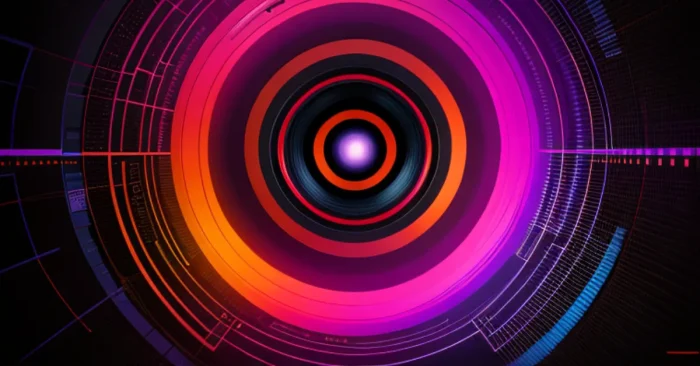
AI music visualization tools are changing the ways artists, DJs, and content creators turn audio tracks into engaging and meaningful visuals. These tools analyze the sound waves, beats, tempo, and frequency of the audio track to then generate animated graphics and visual effects in realtime for the track. Whichever type of content you may be producing, whether it be a video, live performances, social media content,2021, or immersive experience,
AI music visualization enables you to add another layer of engagement or storytelling to the experience. In this comprehensive guide, we will cover AI music visualization tools, as well as their features, uses, advantages, and some best practices in a humanized SEO-centered format.
What Are AI Music Visualization Tools?
AI music visualization tools are software products that take audio signals and use algorithms and machine learning to transform them into graphics using interactive visuals. These tools create real-time and pre-rendered visualizations to complement any genre of music.
Some of the Key features
The key features include: visual synchronized in real-time, customizable animation templates based on content, beat and frequency detection, waveform representation, color settings, 3D effect, and exporting capability for video and streaming platforms.
Benefits for artists and creators
These tools provide musicians and creators with the ability to create stunning visual content with little or no graphic design experience. They also help elevate live performances, digital content, social media engagement and make the music experience memorable.
applications of music visualization
Music visualization has applications in music videos, live streaming, DJ performances, social media content, as backdrops for events, visuals for performances at concerts, and interactive content for fans. Using music visualization transforms a track into a visual spectacle.
Customization Options
Users can select themes, colors, animation speed, visual patterns, and display types. Advanced tools allow synchronization with lyrics, visual effects triggered by audio frequencies, and integration with VR or AR platforms.
Integration with Media Platforms
Music visualizations can be exported in MP4, MOV, or GIF formats, compatible with video editors, streaming services, social media, and live performance software. Integration ensures smooth playback across multiple platforms.
Time and Cost Efficiency
Creating music visualizations manually can be time-consuming and technically demanding. AI tools automate the process, allowing artists to focus on creativity while saving time and production costs.
Accessibility for Non-Designers
Even users with limited technical skills can produce professional-quality music visuals. Drag-and-drop interfaces, AI-assisted customization, and template libraries make the process easy and intuitive.
Best Practices for AI Music Visualization Tools
Choosing the Right Audio Input
High-quality audio tracks produce clearer, more accurate visualizations. Use WAV or high-bitrate MP3 files for best results.
Selecting Visualization Styles
Pick styles that match the mood, tempo, and genre of your music. For example, electronic music may benefit from dynamic neon visuals, while acoustic tracks might use soft, flowing animations.
Balancing Visual Complexity
Too many effects can distract from the music. Aim for visualizations that enhance the audio without overwhelming the viewer.
Optimizing for Different Platforms
Adjust resolution, aspect ratio, and file formats depending on whether visuals are for social media, live performances, or video production.
Consistency Across Branding
Maintain visual themes consistent with your brand or artist identity. Color schemes, typography, and visual effects should align with your overall style.
Preview and Refine
Preview visualizations in real-time to ensure synchronization with audio. Make iterative adjustments to speed, colors, and effects for optimal results.
Exporting Correctly
Export visuals in suitable formats such as MP4 or MOV for videos, or real-time streaming compatible formats for live performances.
Staying Updated
Regular updates provide new templates, effects, and AI improvements, ensuring your visualizations remain modern and engaging.
FAQs on AI Music Visualization Tools
1. Can beginners create professional music visuals?
Yes. These tools simplify complex visualization processes, allowing beginners to generate high-quality visuals without extensive design knowledge.
2. Do these tools work with all music genres?
Yes. AI algorithms can analyze different beats, tempos, and frequencies to create visuals suited to any music genre.
3. Is manual editing necessary?
While AI automates most processes, manual tweaking may enhance specific visual elements, ensuring the output matches your creative vision.
4. Can these visuals be used in live performances?
Yes. Many tools support real-time rendering for live shows, DJ sets, and streaming, allowing interactive audience experiences.
AI music visualization tools provide a powerful and accessible way to elevate audio content. By combining automated visual generation, customizable templates, and intuitive interfaces, musicians and creators can produce stunning visuals that complement their music and captivate audiences across platforms. Following best practices ensures visually appealing, consistent, and professional-quality music animations every time.